
/ Cluster · How to find viral YouTube videos
How to find viral YouTube videos: the per-channel definition that actually helps research
Most "how to find viral YouTube videos" content surfaces videos ranked by absolute view count, which biases toward established channels' uploads. That ranking answers a cultural-awareness question — what is currently popular — and a research question — what format is currently working at the small-channel layer — quite badly. The useful version of "viral" for research is the per-channel outlier: a video meaningfully outperforming its channel's own recent baseline, the framing vidIQ's Outliers tool uses (vidIQ Outliers). The upstream question — which channels are worth checking in the first place — is the channel-level outlier-discovery problem the parent YouTube outlier finder pillar covers. This guide walks through both layers, names the four methods researchers actually have, and stays inside what the public YouTube Data API v3 can support. Research base: thousands of channels scanned to date — public metadata only.

Ai stories by shano
 45d · 36 uploads
YOU & ME
 45d · 25 uploads
Dootoons TV
 45d · 69 uploads
Mr Pawsome
 42d · 64 uploads
sajkcasqq
 38d · 38 uploads
OP Nigma

FactD
 45d · 31 uploads
Cognexa Talks
 39d · 21 uploads
MapLore
What "viral YouTube video" actually means
"Viral" gets used to describe two very different objects, and the SERP for "how to find viral YouTube videos" mixes them constantly. The first definition is the absolute-view spike: a single video reached a large view count, usually outside the creator's normal audience, on a measurable cadence faster than the channel's other uploads. The second definition is the per-channel outlier: a video meaningfully outperformed its channel's own recent baseline, regardless of whether the absolute view count looks impressive against the rest of YouTube. The two definitions answer different questions, and only the second is useful for research.
The absolute-view definition tells you what is culturally popular at a given moment. A 50M-view music-video premiere is viral by that definition; a 30M-view trailer release is viral; a 12M-view late-night clip is viral. The list is informative if your question is "what are people watching this week," and it is mostly noise if your question is "what format is currently working at the small-channel layer where a new entrant has a path." Most of the absolute-view list comes from channels with established subscriber bases, professional production, or distribution partnerships, none of which a small operator can replicate by studying the videos.
The per-channel definition tells you something more durable: which of a channel's recent uploads outperformed the channel's own median, and by how much. A 200,000-view video on a channel that normally clears 5,000 is a 40x per-channel outlier — even though 200,000 is absolutely small. A 4M-view video on a 10M-subscriber channel whose median upload clears 3M is a 1.3x per-channel multiple — even though 4M is absolutely large. The per-channel definition removes the channel-size effect and isolates what was different about the specific video. That is the read a researcher can actually learn from, because the per-channel outlier's lift is more likely to be downstream of format, thumbnail, hook, or topic experimentation than of subscriber-base momentum.
The framing matters because the rest of this guide is mostly the per-channel-definition version of the question. When the page asks "how to find viral YouTube videos," it means: how to find videos that outperformed their own channel's baseline, on channels small enough that the outperformance is replicable. The absolute-view version is the trending-tab version, and it gets one section below for completeness — but it is not the version that answers the research question.
Why absolute-view viral is the wrong signal for research
Absolute-view ranking biases the result set toward established channels in three structural ways. First, large channels have subscriber bases that flood the early-hour view count on any new upload, which pushes the same channels onto the trending list repeatedly. Second, large channels run paid distribution, brand partnerships, and cross-promotion, which adds traffic the recommender does not have to provide. Third, professional production teams on large channels produce videos that index well on the surface-level signals (thumbnail clarity, hook strength, retention curve) that the recommender reads, which means the same channels' uploads keep clearing the thresholds for further promotion.
The result is a list that mostly answers "which channels are big enough to push 1M views inside a week" and not "which formats are currently working for new entrants." A creator looking at the absolute-view list and trying to extract format lessons typically extracts the wrong lessons. The format on a 10M-subscriber channel works because the channel's audience already knows the host, the brand, the running gags, and the publishing cadence. A new entrant copying that format starts with none of those advantages, and the format-without-audience version usually flops.
The corollary applies to topic too. A trending topic on a large channel — a celebrity story, a tech-product launch, a sports event — is usually already covered by hundreds of other channels by the time it trends. A new entrant publishing into that topic competes against the same crowded surface, and the small-channel version of the upload almost never lands. Topics surface on Trending because they are timely; small-channel breakouts mostly happen on evergreen topics inside working formats, where the recommender has time to learn the channel's profile.
The corrective is to filter the question. Instead of "what videos are viral on YouTube right now," ask "what videos outperformed their own channel's baseline on channels under 90 days old in a niche I am researching." That filter removes the audience-momentum effect and surfaces uploads where the format was the variable doing the work. The next section covers the tool that does exactly that filter.
Video outlier detection: ranking a channel's uploads against its own median
Per-channel outlier detection is the technique that operationalizes the second definition of viral. Given a channel, it pulls the channel's recent uploads, computes the channel's own median view count across them, divides each upload's view count by that median, and ranks the uploads by the resulting multiple. A 3x multiplier flags a video that meaningfully outperformed the baseline; a 10x multiplier flags a clear standout. The technique is built into vidIQ's Outliers tool and is the framing several other channel-inspection tools have adopted since.
The strength of per-channel outlier detection is that it controls for channel size. A small channel's 5x outlier and a large channel's 5x outlier are comparable as research objects — both indicate the channel did something different on the upload that lifted it above the channel's own baseline. The variable is whatever the channel changed: a thumbnail experiment, a different hook style, a longer title, a topic outside the usual rotation. The researcher's job is to read off what was different and consider whether the change is replicable on a new entrant's channel.
The weakness is that per-channel outlier detection requires a known channel. The tool does not surface channels — it scores videos inside channels you bring to it. If you do not already know which channels to inspect, per-channel outlier detection is the second step in a workflow whose first step is missing. That first step is channel-level outlier discovery, which is what the parent YouTube outlier finder pillar covers — the layer that produces the candidate channel list a per-channel outlier tool can then drill into.
The clean workflow is two-stage. Stage one: identify candidate channels using a channel-level discovery layer (NicheBreakout's live library, the Friday digest, manual cohort comparison, or a niche-specific source list). Stage two: for each candidate channel, run per-channel outlier detection across the channel's recent uploads to find which videos broke from the channel's baseline and study what was different about them. Per-channel outlier detection inverted as the entire workflow tends to produce a lot of data about videos and not much about which niches are open for new entrants.
Method 1: use a known channel's recent uploads
The simplest method assumes you already have a channel you want to inspect — a competitor, a channel inside a niche you are researching, or a channel the Friday digest pointed you at. The tool category is vidIQ Outliers and equivalents (channel-inspection tools that score recent uploads against the channel's own median). The walkthrough.
Inside vidIQ, open the channel's profile inside the tool, navigate to the Outliers view, and read off the videos ranked by their per-channel multiplier. The view shows each upload's view count, the multiplier against the channel's recent median, and the publish date. Sort by multiplier descending, click into the top three to five uploads, and watch each one. The question to answer for each upload: what was different about this video relative to the channel's typical upload? Thumbnail style, title structure, hook in the first three seconds, length, topic angle, production quality. The variable is whatever changed; the multiplier is the evidence that the change worked.
Without vidIQ, the same analysis is possible manually inside YouTube directly. Open the channel, click the Videos tab, sort by Popular, and compare the view counts of the top videos against the median of the recent uploads. The arithmetic is the same — divide each top-video view count by the channel's recent-upload median — but the workflow is slower because you have to read view counts visually rather than seeing a multiplier column. Manual works for inspecting two or three channels; tool-assisted is faster when the candidate list is larger.
What this method catches: per-channel outlier uploads on a known channel, with the multiplier and the differentiator readable from public metadata. What it misses: the upstream question of which channels to inspect in the first place. Pair Method 1 with a channel-discovery surface (Method 3 below, or a channel-level outlier library) so the inspection always runs against a current, niche-relevant candidate list rather than the same handful of well-known channels.
Method 2: browse YouTube's Trending page
YouTube's Trending tab is the surface YouTube itself publishes for "what is viral right now inside this country." It refreshes automatically and ranks videos by recent view-rate momentum, with separate sub-feeds for Music, Gaming, and Movies on most country versions. The walkthrough is the simplest of the four methods: open YouTube, click Explore, click Trending, scroll. The result is a list of currently-trending videos, each clickable into the channel for further inspection.
Trending is most useful as a general-trend pulse — it tells you what is currently popular at the surface level, which is useful for cultural awareness and for spot-checking whether a particular event or topic is currently driving views. It is least useful as a niche-research surface, because Trending is dominated by music-video premieres, scheduled releases from major creators, news events, and country-wide cultural moments. The cohort of channels showing up on Trending is heavily biased toward channels with established audiences who can flood the early-hour view count.
What Trending catches: videos with high absolute view-rate momentum across all of YouTube inside the country selection. What it misses: per-channel outliers on small channels (the small-channel layer does not have the audience momentum required to land on Trending); niche-specific viral content (the country-wide ranking dominates niche-specific surges); evergreen viral content (Trending is a recency-weighted surface, so videos with long-tail viral patterns rarely appear). Treat Trending as a complementary signal to the per-channel method, not a substitute. The two are answering different questions and should be used for different research goals.
A useful supplement: many countries' Trending tabs are accessible by changing the country in YouTube's location settings. Cross-country Trending comparison surfaces format-topic intersections that work in some markets and not others, which is useful for niche research at the geographic-cohort layer. The Data API exposes the same regional Trending feed programmatically through the chart=mostPopular parameter on the videos.list endpoint, with a regionCode parameter for country selection — useful for systematic comparison without manually changing browser settings.
Method 3: find channels first, then read their viral videos
The upstream method is the one this page argues is most useful for research, and it is also the one most "how to find viral YouTube videos" content misses entirely. The premise is that finding individual viral videos in isolation produces noisy lessons because the videos' lift is entangled with their channels' audience momentum. Finding channels first — specifically, small or recently-created channels currently outpacing their peer cohort — and then reading the per-channel outliers inside those channels produces lessons where the format, not the audience, is the variable doing the work.
The walkthrough has two halves. Half one is channel-level discovery: find channels currently inside their breakout window. Sources include NicheBreakout's live library (the paid surface), NicheBreakout's Friday digest (the free surface), niche-specific Reddit and Discord communities where small operators post their channels, manual YouTube search filtered to recently-published videos in a niche, ChannelCrawler's creation-date filter, and Social Blade's rising-channels view. Half two is per-channel inspection: for each candidate channel from half one, run Method 1 above (vidIQ Outliers or manual sort-by-Popular) to find the channel's per-channel outlier uploads.
The output is a list of videos that (a) broke from their channel's own median by a meaningful multiple and (b) live on channels small enough that the breakout is replicable. The research read is then about format: what did the operator do on the breakout upload that they were not doing on the channel's baseline uploads? Thumbnail style, hook, length, topic angle, visual template. Those variables generalize to a new entrant's channel; the audience-momentum variable does not, which is why Method 3 produces more useful lessons than reading absolute-view-count videos.
The full channel-level outlier-discovery methodology lives on the parent YouTube outlier finder pillar, and the deterministic three-gate filter lives on the breakout YouTube channels sibling. Both are upstream of this guide; this page assumes the reader either uses one of those surfaces or applies an equivalent channel-discovery method before running per-channel inspection. The companion how to find small YouTube channels guide walks through the manual version of channel-level discovery for researchers building a private workflow.
Method 4: Data API publishedAfter filters with search.list
The procedural method for researchers building their own workflow uses the YouTube Data API v3 directly. The relevant endpoint is search.list, which accepts a q parameter for keyword filtering, an order parameter (set to viewCount for absolute-view sort or relevance for default sort), a publishedAfter parameter for a recent-upload date cap, a type parameter to restrict results to videos, and a maxResults parameter capped at 50 per request (YouTube Data API: search.list). The endpoint returns video IDs and partial metadata; per-video view counts come from a separate videos.list call against those IDs.
A workable query pattern: pick a niche keyword (or a set of them), set publishedAfter to seven days before the current date, set order=viewCount, set type=video, and run the request. The API returns up to 50 videos published in the last seven days that match the keyword, ranked by absolute view count. The result is the API-level equivalent of YouTube search sorted by view count with a recency filter — same bias toward established channels' uploads, same useful-for-spot-check / not-useful-for-niche-research character. Pair the result with a videos.list call to retrieve view counts and channel IDs for each video, then post-filter the response by your own threshold.
The interesting move is the post-filter step. Instead of taking the absolute-view ranking the API returns, run a second pass: for each video in the result set, pull the channel's recent-upload view distribution (a separate playlistItems.list plus videos.list pair against the channel's uploads playlist), compute the channel's recent-upload median, and rank the original result set by per-channel multiple instead of by absolute view count. The result is a per-channel outlier list filtered to a niche keyword and a recent-publication window — the API-level equivalent of running Method 3 across an automated channel sweep.
The API approach is the right tool for repeatable, scriptable workflows where the researcher wants to run the same query on a schedule and capture the output. The trade-offs are real: quota consumption is heavy (search.list costs 100 quota units per request inside the 10,000-unit free daily budget), filter resolution is coarser than full inspection-tool UX, and the cohort the API returns is bounded by what YouTube's own search index surfaces — which excludes channels and videos YouTube has unlisted, suspended, or restricted. For one-off niche research the inspection-tool methods above are usually faster; for systematic ongoing research the API is the right substrate.
The deterministic filter for an actually-useful viral signal
The four methods above answer "how to find viral YouTube videos" at the video level. The follow-on question is which channels' viral videos are actually worth studying, and the deterministic filter that makes that question answerable from public metadata is the channel-level read covered in detail on the parent pillar. The abbreviated version applies the same three-gate plus two-bonus signal set NicheBreakout uses internally. Full methodology on the methodology page.
Channel age
detected within 45 days of channel creationFirst-5 upload views
combined views across the first five public uploads ≥ 10,000Views per day
lifetime channel views ÷ channel age ≥ 1,000Format clarity (bonus)
score weights channels with a clear Shorts-first or long-form-first ratio above mixed-format channelsEarly-traction velocity (bonus)
score boost when channel age ≤ 14 days, first-5 sum ≥ 50,000, or views/day ≥ 5,000
The three hard gates each isolate a different piece of the underlying channel-level signal. Channel age ≤ 45 days restricts the candidate pool to channels whose traction is recommender-driven rather than audience-driven; per-channel outlier reads inside this window are dominated by format and topic variables rather than by subscriber-base effects. First-5 sum views ≥ 10,000 separates channels with a working content vehicle from channels with one lucky upload — the difference matters because per-channel outlier detection on a one-lucky-upload channel mostly surfaces the one lucky upload again. Views per day ≥ 1,000 is the cleanest velocity-based check available from public metadata and is the variable that most directly maps to the cohort-median comparison.
The two score bonuses sharpen the channel-level ranking. Format clarity weights channels with an unambiguous Shorts-first or long-form-first format because the cohort comparison is more meaningful for format-consistent channels. Early-traction velocity rewards channels at the extreme end of the breakout distribution — channels whose channel-level outlier multiple is large enough that the per-video reads inside the channel are statistically interesting.
Read the gates as the channel-level filter that makes downstream per-channel outlier reads useful. A per-channel outlier on a channel that fails the gates (a mature channel with established audience momentum) is mostly noise as niche-research evidence. A per-channel outlier on a channel that passes the gates is a research-grade signal — the channel itself is currently being lifted by the recommender, and the per-channel outlier upload tells you which of the channel's experiments was most responsible for the lift.
What we deliberately don't claim about virality
NicheBreakout does not publish a causal explanation of why any specific video went viral. The viral label, in either definition above, is a public-metrics observation; the question of why the video resonated depends on signals that are not third-party-readable — audience retention curves, click-through rate on the impression surface, traffic-source breakdowns, swipe-away rate on Shorts, the recommender's surface-mix decision in the first hours. The official YouTube Data API v3 reference (YouTube Data API v3 reference) is the canonical list of what is exposed publicly; every signal that would actually answer "why" lives outside that list.
The discipline that follows is to stay descriptive rather than causal. A page about "how to find viral YouTube videos" can show you which videos hit the thresholds, what they looked like (thumbnail, title, length, topic, channel context), and how to find more of them. It cannot tell you why the recommender lifted any specific upload, and any tool that claims to explain virality is either inferring from public surface features or fabricating confidence. The honest read is that public data is sufficient for finding viral videos and insufficient for explaining them.
We also do not predict which videos will go viral before the public-data signature shows them. Predictive claims about future virality require either non-public signals or fabricated confidence in extrapolation from public ones. Public-data inputs can tell you that a video is currently outperforming its channel's median; they cannot tell you that an upload posted ten minutes ago will be a per-channel outlier two days from now. The window between "the upload has not yet accumulated enough views to read against the channel's baseline" and "the upload's per-channel multiple is now readable" is the window no tool can cover from public data.
The third boundary is revenue. Viral videos do not consistently translate to revenue — RPM varies with content category, audience geography, and advertiser demand, and viral spikes often happen on content categories with low RPM (music, news, short-form clips). The most profitable YouTube niches sister page covers the structural reason: per-video revenue data lives behind authenticated owner-only endpoints. A viral-video discovery surface can show you what is reaching audiences; it cannot show you what those audiences are worth to the channel that published the video.
Common mistakes when looking for viral videos
Five mistakes recur in researchers using viral-video discovery as a niche-research workflow, each correctable with a discipline change rather than a tool change.
Treating absolute view count as the signal. Sorting YouTube search or Trending by view count surfaces uploads dominated by established channels whose subscriber bases are doing the lift, and the format lessons rarely generalize to new entrants. Weight per-channel multiplier above absolute view count. A 200,000-view upload on a 5,000-median channel is a 40x per-channel outlier; a 4M-view upload on a 3M-median channel is a 1.3x multiple. The first is the more useful research target despite the smaller absolute number.
Ignoring channel age. A viral upload on a 10-year-old channel reflects accumulated recommender training, audience trust, and format iteration a new entrant does not have. Filter the channel list by age before reading any per-video signal — under 90 days old is a clean cutoff, under 45 days even cleaner.
Copying viral topics without copying formats. A trending topic surfaces because it is timely, which means hundreds of other channels are already publishing into it by the time it trends. Read off the format (production mode, video length, hook style, visual template) and apply it to a different topic in the same format cluster. Topics rotate weekly; formats generalize across topics for months.
Confusing one viral video with a working channel. A single viral upload on an otherwise-flat channel is a single event, not a pattern. Check the channel's recent-upload distribution before drawing format lessons — a working channel produces multiple per-channel outliers across recent uploads, not one isolated spike.
Using Trending as a research surface for narrow niches. Trending ranks country-wide, which means a viral upload inside a narrow niche has to outperform every music-video premiere, scheduled creator release, and country-wide news event of the day to land. Use niche-specific keyword filters inside search or inside the Data API, not the country-wide Trending feed.
Where viral video discovery fits in the broader research workflow
Viral-video discovery is the inspection step inside a broader niche-research workflow, not the workflow itself. The order of operations that produces useful research output runs from niche selection to channel-level outlier discovery to per-channel outlier inspection to format-level lesson extraction. Viral videos enter at step three, after channels have already been filtered into a research-grade candidate list.
The workflow inversion fails predictably. Starting with viral videos and reverse-engineering the niche usually produces niche definitions too broad to be actionable. Starting with absolute-view viral videos and extracting format lessons usually produces lessons that do not generalize, because the audience-momentum variable was doing more work than the format variable.
The companion how to do YouTube niche research guide is the eight-step version at the niche-research level; the YouTube niche validation checklist is the checklist version. Both consume the channel-level outlier layer the parent YouTube niche finder pillar describes.
FAQ
How do you find viral YouTube videos?
Decide which definition of "viral" you mean first, because the two definitions answer different questions. If "viral" means a video with a large absolute view count, scroll YouTube's Trending feed or sort search results by view count — both surface that cohort and both are dominated by videos from already-large channels. If "viral" means a video outperforming its channel's own recent baseline (the per-channel outlier definition), use a tool like vidIQ's Outliers feature (vidIQ Outliers) on a known channel, or run the Data API search.list endpoint against a recent publishedAfter window and filter the results by your own per-channel multiplier. The per-channel definition is the useful one for research because it removes the audience-momentum effect; the absolute definition is mostly useful for cultural awareness.
What's the easiest way to find viral videos on YouTube?
The easiest path is YouTube's own Trending tab — it surfaces videos with abnormal recent view rates inside the country selection, refreshed automatically. It is also the lowest-signal path for research because Trending is biased toward channels that already have established audiences flooding the early-hour view count. The next-easiest path is YouTube search sorted by view count with the upload-date filter set to "This week" — same bias, slightly more controllable. For per-channel outliers (the more useful research signal) the easiest tool is vidIQ's Outliers feature, which scores a channel's recent uploads against the channel's own median. None of these is hard; the trade-off is between effort and signal quality.
Can I find viral videos in a specific niche?
Yes — and the niche filter is the only thing that makes the search useful. A generic "viral videos" feed mixes news clips, music videos, sports highlights, and creator content; filtering to a niche removes the categories that are not researchable as format. Inside YouTube search, run niche-specific queries with the upload-date filter set to a recent window and sort by view count. Inside vidIQ Outliers, pick three to five known channels inside the niche and review their recent outlier uploads. Inside the Data API search.list endpoint, use the q parameter for niche terms, the publishedAfter parameter for the recent-window cap, and then post-filter the response by your own per-channel multiplier threshold.
What makes a YouTube video go viral?
From public metadata alone, this question is not answerable. The signals that would explain why a specific video resonated — audience retention curve, click-through rate on the impression surface, traffic-source breakdown, swipe-away rate on Shorts, the recommender's surface-mix decision in the first hours — all live behind authenticated endpoints (the YouTube Analytics API for owners, internal recommender state for everyone). Third-party tools that claim to explain virality are inferring from public surface features (thumbnail, title, length, topic) and treating correlation as causation. The honest read is that public data can show that a video went viral and can describe what the video looked like; it cannot tell you why the recommender lifted it.
Is YouTube Trending the same as viral?
No. Trending is a ranking surface inside YouTube's product that surfaces videos with high view-rate momentum inside a country selection, refreshed on a published cadence. "Viral" is a colloquial label for content reaching an audience well beyond the creator's normal reach. The two overlap — many viral videos appear on Trending — but they are not the same. Trending includes scheduled releases by major creators that hit predictable early view rates without being viral in the cultural sense, and viral videos can spread outside Trending entirely (through shares, recommender surfaces other than Trending, or embeds on other platforms). Treat Trending as one surface among several, not the definitional source.
How fresh are viral video tools?
Trending refreshes hourly inside YouTube's own product. Third-party trending-topic tools (the category of "tools to find viral YouTube videos") usually scrape Trending or run their own ranking on top of the public Data API search.list endpoint, with refresh cadences ranging from a few minutes to a few hours. Per-channel outlier tools like vidIQ Outliers refresh per request or per channel-page load — they pull the channel's recent uploads at query time and recompute the multiplier. The freshness ceiling on any third-party tool is whatever the YouTube Data API returns; no third party has a more recent view of public metadata than the API surface itself.
Can I find viral Shorts specifically?
Yes. YouTube exposes Shorts inside Trending and inside search results with a duration filter (under 4 minutes is the closest public Data API equivalent to the Shorts-feed cutoff). The Shorts feed itself is recommender-driven and not directly queryable as a search surface, which means "viral Shorts" research has to come from cohort filtering on the Data API rather than from scrolling the Shorts feed at scale. The YouTube Shorts trends sister pillar covers the Shorts-specific surface-split and the way Shorts view counts accumulate differently from long-form view counts.
What's the difference between viral, trending, and outlier?
Viral is absolute — a video reached an audience well beyond the creator's normal reach, regardless of the channel's size. Trending is surface-state — the video is currently on YouTube's Trending tab inside a country selection. Outlier is relative — the video sits far above a defined baseline, usually the channel's own recent median. A 5M-view video can be viral but not an outlier (a 10M-subscriber channel's normal upload), an outlier but not viral (a small-channel upload at 200,000 views when the channel normally clears 5,000), or both. The parent YouTube outlier finder pillar covers the disambiguation in full; the per-channel outlier is the most useful of the three for niche research.
Methodology / About this analysis
NicheBreakout's research relies entirely on YouTube Data API v3 public fields: channel age (from creation date), subscriber count (rounded to three significant figures), video count, view count, video metadata, video publish dates, video duration, and per-video view counts. The viral-video discovery framework on this page is the procedural readout of how to apply those public fields at the video level — per-channel outlier detection on a channel-by-channel basis, with the upstream channel-discovery step covered on the parent pillar. No private metrics (watch time, retention, click-through rate, impressions, RPM, audience demographics, traffic sources) appear in any method or any claim on this page.
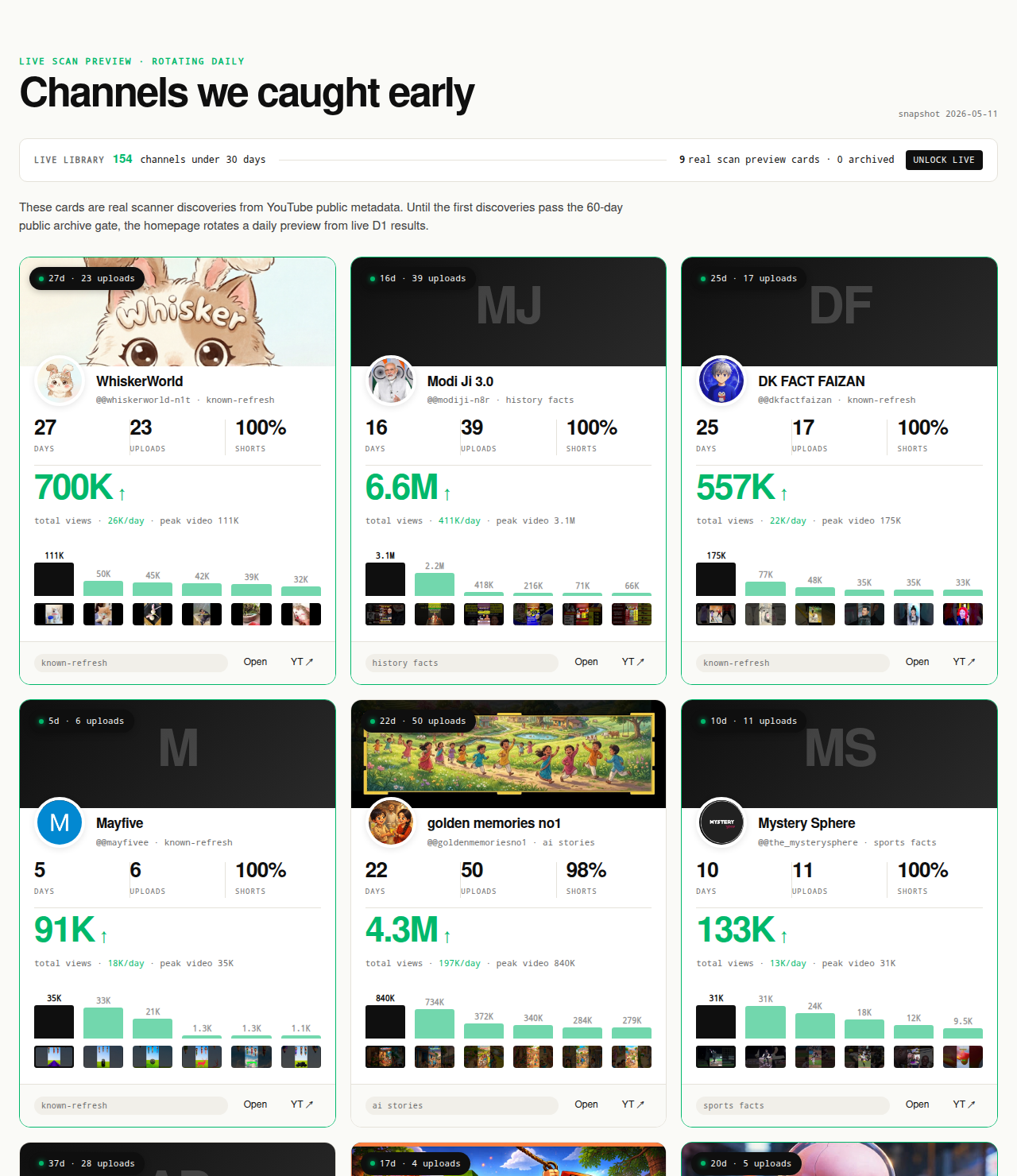
Original-research artifacts in this article: the two-definition disambiguation (absolute-view vs per-channel outlier), the four-method comparison (known-channel inspection, Trending tab, channels-first inspection, Data API publishedAfter filtering), the upstream-channel-discovery argument, the deterministic three-gate channel-level filter, and the revealed channel cards above the fold. External citations: vidIQ Outliers (the per-channel outlier tool category) and the YouTube Data API search.list endpoint (the API-level discovery substrate). Author: Nicholas Major (Founder, NicheBreakout · Software engineer since 2011). Article last revised 2026-09-21.
Live scan freshness:
Related research
- YouTube outlier finder: the parent pillar covering channel-level vs video-level outlier detection and the statistical case behind the upstream-discovery argument on this page.
- Breakout YouTube channels: sibling cluster page defining the channel-level breakout object and the deterministic public-data signature.
- Up-and-coming YouTube channels: sibling cluster page covering the freshness-first reframe of channel discovery upstream of per-channel outlier inspection.
- New YouTube channels growing fast: sibling cluster page covering the velocity-first reframe of the same channel-discovery layer.
- Small YouTube channels blowing up: sibling cluster page covering the small-channel-momentum framing.
- YouTube channels before they blow up: sibling cluster page (when built) covering the speculative-listicle framing.
- YouTube channel research: sister pillar covering the broader channel-discovery and inspection category that per-channel outlier reads sit inside.
- YouTube niche finder: sister pillar covering niche selection upstream of channel discovery.
- Faceless YouTube niches: sister pillar covering the production-mode angle that dominates most per-channel outlier clusters.
- YouTube Shorts trends: sister pillar covering the Shorts-specific surface and the way Shorts view counts accumulate differently from long-form view counts.
- Most profitable YouTube niches: companion pillar covering the public-data-vs-private-data boundary on revenue and monetization claims.
- AI story channels, Reddit story channels, history shorts channels, faceless storytelling channels, and quiz channels: programmatic topic pages indexing the recurring format clusters that produce per-channel outlier uploads inside our scans.
The Friday digest sends three current channel-level outliers every week with format fingerprints and outbound YouTube links — free, present-tense. The live library refreshes daily and surfaces channels currently inside the 30-day window. See pricing for the current tier; subscribe to the digest free.
End of cluster page
Skip the trending tab — find the channels worth checking first
Every channel card outbound-links to YouTube so you can run per-channel outlier reads against the public data yourself. The live under-30-day library is the paid workflow; the Friday digest is free.