/ Cluster · YouTube competitor analysis tool
YouTube competitor analysis tool: a category map, not a "best of" list
A YouTube competitor analysis tool is not one product category. It is three — discovery (find competitors worth analyzing), inspection (read public data about competitors you already know), and alerting (get notified when something changes) — and most "best YouTube competitor analysis tool" listicles conflate all three into a single ranked list. The result is a recommendation that matches no actual research job: a researcher who needs discovery is sold an inspection dashboard, a researcher who needs inspection is sold a notification system, and a researcher who needs alerting is sold a $49-a-month subscription to a tool they will not log into twice. This page is the category map. NicheBreakout sits on the discovery side; vidIQ, Social Blade, NoxInfluencer, ChannelCrawler, and TubeBuddy each fit different parts of the inspection side; alerting is a feature most products bolt on rather than a standalone product category. Built from thousands of channels scanned to date.

Ai stories by shano
 45d · 36 uploads
YOU & ME
 45d · 25 uploads
Dootoons TV
 45d · 69 uploads
Mr Pawsome
 42d · 64 uploads
sajkcasqq
 38d · 38 uploads
OP Nigma
FactD
 45d · 31 uploads
Cognexa Talks
 39d · 21 uploads
MapLore
What "YouTube competitor analysis tool" actually means
The phrase "YouTube competitor analysis tool" gets used as if it names a single product category. It does not. The activity it describes splits into three jobs, and the products that serve those jobs are different products with different data models, different pricing logic, and different right-fit users. Conflating the three is the root cause of almost every misfire in this tool category — a researcher buys a product that is good at the wrong job and concludes that competitor analysis tools "do not work."
Discovery answers the question "which channels should I be analyzing in the first place?" The input is a format-topic intersection or a niche the researcher is considering. The output is a candidate cohort — a list of small channels currently breaking out at that intersection — that the researcher has not necessarily heard of yet. Discovery is upstream of every other research step; skipping it means the researcher only ever analyzes the channels they already know about, which biases the cohort toward channels that won years ago rather than channels currently winning.
Inspection answers the question "what is happening on this specific channel right now?" The input is a channel the researcher has already identified — by URL, handle, or channel ID. The output is a structured read of the public Data API fields plus historical scraping plus, sometimes, proprietary estimates layered on top. Inspection is downstream of discovery; running inspection on the wrong cohort produces precise descriptions of irrelevant channels.
Alerting answers the question "tell me when something changes on a channel I am tracking." The input is a watchlist of known channels plus a definition of "something changed" — usually new uploads, sub-count milestones, or video views crossing a threshold. The output is a notification. Alerting is conceptually narrow enough that it is rarely sold as a standalone product; most inspection tools bolt on a notification feature, and few tools sell alerting on its own.
The three jobs are not substitutes. A researcher running discovery is not going to be helped by a deeper inspection dashboard, because the inspection dashboard cannot tell them which channels to type into it. A researcher running inspection is not going to be helped by a discovery feed of unfamiliar channels, because the inspection task already has a specific channel in mind. The right tool for a research job depends on which job it is, and the right answer to "which competitor analysis tool should I use" depends on the answer to a question the listicles rarely ask: what are you actually trying to learn?
Why most "best competitor analysis tool" listicles are confused
The standard 2026 listicle ranking YouTube competitor analysis tools usually looks the same: a top-5 or top-10 list, each entry a paragraph of feature highlights, a star rating, and a CTA to sign up. The tools rotate in and out of the ranking, but the format does not change. The format is the problem. Ranking three product categories on a single scale produces a list that is technically about products but practically about nothing — the tools at the top usually score well on inspection, badly on discovery, and inconsistently on alerting, and no reader's actual research job maps cleanly onto a number-one pick from such a list.
Three structural reasons the listicles read the way they read. First, most of the tools named — vidIQ, TubeBuddy, OutlierKit, Socialinsider — are inspection-layer products with the same data floor. The Data API exposes a fixed set of public fields; every wrapper has access to the same fields; the differentiation between them is presentation, history depth, and the secondary features (keyword research, A/B testing, agency reporting) bolted on top. Ranking five products that wrap the same data and call them "different" produces a ranking based on bolt-on features, not on the core competitor-analysis capability the headline promises.
Second, listicles almost never name the discovery-layer category at all. The reason is that discovery is a smaller market — most YouTube searchers are existing creators, and existing creators want optimization tools for their own channels, not discovery tools for finding new entrants in a niche they have not entered. Listicle writers chasing keyword volume optimize for the larger market and end up listing five inspection-and-optimization tools in a "competitor analysis" frame, with the discovery-layer products either omitted entirely or jammed into the same ranking as if they were trying to do the same job.
Third, the listicle format itself rewards superlative framing — "best," "ultimate," "top" — which is incompatible with an honest category split. A category map says "this product fits this job, this one fits a different job"; a superlative list says "this product is the best." The two framings cannot coexist. The reader gets the superlative list because the superlative list ranks well in search, not because it reflects how the tools should actually be evaluated.
This page does the other thing. The next sections describe each category in turn, name the tools that fit each category honestly, and end with a one-line decision rubric for picking the tool that matches the research job — rather than a ranked list optimized for nobody.
Discovery-layer tools: find competitors worth analyzing
Discovery-layer tools answer a question inspection-layer tools cannot answer: which channels should the researcher be looking at in the first place. The input is a format-topic intersection ("history shorts," "reddit story narration," "finance explainer faceless"), a niche the researcher is evaluating, or a set of filters (channel age, subscriber range, view velocity). The output is a candidate cohort of channels the researcher does not necessarily already know about. Discovery is the upstream half of competitor analysis; researchers who skip it analyze only the channels they already know, which biases the cohort toward channels that won years ago rather than channels currently winning.
The discovery category is small relative to inspection. The honest one-line reads on the products that fit it:
- NicheBreakout — pre-filtered small-channel-breakout cohort surfaced by deterministic public-metadata gates (channel age, first-five performance, view velocity). The library publishes the candidate cohort directly; the Friday digest sends three breakout channels free every week. The right tool when the research job is "find small channels currently breaking out at a format-topic intersection." Not the right tool for inspecting a specific channel a researcher already has in mind.
- ChannelCrawler — filterable directory of YouTube channels with subscriber-count, channel-age, country, and category filters. Useful as a manual discovery surface when the researcher wants to apply their own filter logic rather than the deterministic gates a curated library applies. Less opinionated than a curated cohort; the output is a larger list of channels matching filters, not a ranked breakout cohort.
- YouTube search with date filters — free, native, and underrated for discovery. Type a format-plus-topic query into YouTube search, open the filters panel, set upload date to "This month," and scroll. The channels appearing in the first 30-50 results are the channels actively publishing at the intersection right now. The discovery output is unstructured (no exports, no scoring) but the data is current and the cost is zero. Most other discovery tools wrap this same surface with structure and persistence layered on top.
The discovery layer matters more than its smaller market share suggests, because it is upstream of every research decision that follows. A researcher who has not yet picked the right cohort cannot produce useful research with any inspection tool, regardless of how detailed the inspection dashboard is. A researcher who has the right cohort can produce useful research with the free public Data API alone. The asymmetry is why the discovery layer is worth treating as a separate product category instead of folding it into inspection.
Inspection-layer tools: read public metadata about known channels
Inspection-layer tools answer a question with a specific channel already in mind: what is happening on this channel right now, and how has it grown over time? The input is a channel ID, URL, or handle. The output is a structured read of public Data API fields, usually layered over historical scraping that goes back further than the API's current snapshot. Inspection is what most users mean when they say "competitor analysis tool," and it is the category with the largest number of products competing for the same market.
The data floor across the inspection category is the same. The YouTube Data API channels.list reference documents the public fields any third party can read: channel ID, title, description, creation date, country (if set), custom URL (if set), subscriber count (rounded to three significant figures, hidden if the owner has hidden it), total view count, video count, banner, thumbnail, and per-video metadata for the uploads playlist. Every inspection tool wraps these fields. None of them have access to anything below — watch time, retention, RPM, traffic source — for a channel the user does not own. Differentiation between inspection products is presentation, history depth, and bolt-on features.
The honest one-line reads:
- vidIQ Channel Audit — strongest for on-channel optimization (keyword research for the user's own videos, tag suggestions, thumbnail tests). The competitor-inspection screens are fine but not differentiated; they show the same public fields any other wrapper shows. Best when the user is already running their own channel and wants inspection as a companion to optimization.
- Social Blade — the longest-running historical-scraping wrapper. Daily subscriber and view-count history going back years is the differentiator. The estimated earnings band is an extrapolation from public view counts using assumed RPM ranges, not a verified figure; the metrics are accurate to API rounding, the earnings band is decoration. Best when the user needs historical growth lines rather than current snapshots.
- NoxInfluencer — overlap with Social Blade on historical metrics. Stronger on creator-side influencer-marketing framing (audience estimates, brand-fit reports, engagement ratios formatted for sponsor pitches). Same public-data ceiling as the rest of the category. Best when the user is doing influencer-marketing diligence rather than pure competitor research.
- ChannelCrawler — appears in both the discovery and the inspection lists. The directory-search surface is discovery; the per-channel detail view is inspection-lite, weaker than a dedicated inspection product but sufficient for the inspection step inside a discovery-first workflow.
- TubeBuddy — overlapping with vidIQ on optimization. Browser extension model surfaces inspection fields on YouTube pages directly rather than in a separate dashboard. Strong A/B testing tools for the user's own thumbnails and titles. Competitor-inspection features are present but secondary to the optimization focus.
The right way to pick inside the inspection category is to match the secondary features against the user's actual workflow — keyword research, A/B testing, historical growth tracking, influencer-marketing reporting — rather than the core inspection capability. The core capability is roughly equivalent across products because the underlying API is the same. The bolt-ons differentiate.
Alerting-layer tools: notify when something changes
Alerting is the third leg of competitor analysis and the one rarely sold as a standalone product. The job is narrow: a researcher maintains a watchlist of competing channels and wants a notification when something changes — a new upload, a subscriber milestone, a view count crossing a threshold, a thumbnail or title update. The notification is the deliverable; everything else is plumbing.
Alerting is conceptually simple enough that it usually appears as a feature inside inspection tools rather than as a separate product. vidIQ surfaces upload alerts on tracked competitors. TubeBuddy offers similar notification options. Social Blade has email subscriptions for tracked channels. NoxInfluencer includes alert configuration in its paid tiers. None of these tools are sold primarily as alerting products — alerting is a small line item inside a larger inspection subscription.
The few standalone alerting products that exist are usually thin: a Telegram bot, a Discord webhook, or a custom IFTTT-style trigger reading the YouTube Data API and posting a message when a tracked channel changes state. These tools rarely accumulate enough product surface to justify a paid subscription; the underlying capability (poll the Data API every few hours, fire a webhook on delta) is small enough that any technical researcher can build their own version inside a free Google Cloud API key's daily quota.
For most researchers the alerting layer is handled correctly by the inspection tool they are already paying for, plus YouTube's own notification bell for the small set of channels worth getting native push notifications about. Paying a second subscription for a dedicated alerting product is rarely worth the cost; if a researcher needs more sophisticated alerting than their inspection tool provides, the right next step is usually a custom script against the Data API rather than another off-the-shelf product.
The reason alerting matters as a category despite the small product market is that it is the third question a researcher could reasonably want a "competitor analysis tool" to answer, and listicles that omit it leave the reader missing a vocabulary for what they actually want. A researcher who says "I want a competitor analysis tool" sometimes means alerting — a watchlist with notifications — and is correctly served by configuring alerts inside their existing inspection tool rather than buying a new product.
The public-data signal a competitor-analysis tool should expose
Regardless of which category a tool fits, the signal a competitor-analysis tool should be exposing is the public-metadata signature of channel-level traction. The signal floor across categories is the same set of deterministic gates a researcher can apply manually with the free YouTube Data API. The abbreviated version of the NicheBreakout scoring model — applicable as a per-channel inspection signature for any tool in the category — is below.
Channel age
detected within 45 days of channel creationFirst-5 upload views
combined views across the first five public uploads ≥ 10,000Views per day
lifetime channel views ÷ channel age ≥ 1,000Format clarity (bonus)
score weights channels with a clear Shorts-first or long-form-first ratio above mixed-format channelsEarly-traction velocity (bonus)
score boost when channel age ≤ 14 days, first-5 sum ≥ 50,000, or views/day ≥ 5,000
Each of the three hard gates isolates a different piece of the early-traction picture. Channel age ≤ 45 days filters discovery to channels where recommendation surfaces — not subscribers — are doing the audience-finding work, which is the cohort where format-fit signal is readable without confounding by subscriber inertia. First-five-video sum views ≥ 10,000 filters out channels whose first uploads landed flat; five uploads sharing 10,000 views indicates a working content vehicle rather than a single lucky upload. Lifetime views per day ≥ 1,000 is the cleanest velocity check available from public metadata alone, because watch time and impressions live behind the YouTube Analytics API and cannot be third-party-verified.
The two scoring bonuses sharpen ranking inside the filtered set. Format clarity rewards channels with a consistent Shorts-first or long-form-first ratio; format-mixed channels are harder to classify and slower to compound on the recommender side. Early-traction velocity pushes the freshest, fastest-moving channels to the top of the ranking inside any niche. A competitor that clears the three hard gates plus both bonuses is exhibiting the strongest small-channel-breakout signature the public Data API can produce.
Average first-five-video views for every populated grade tier inside our discoveries cohort looks like this (grades with no current members are suppressed until they fill in):
The point of naming the signal explicitly is that a researcher evaluating a competitor-analysis tool can ask the same question of every product in the category: does the tool expose a signal of this kind, and is the signal defensible from public Data API fields? Tools that pass that test are reading the same underlying reality; tools that fail it — surfacing "competitor RPM," "competitor watch time," or "competitor retention" for channels the user does not own — are guessing. The full methodology lives on the methodology page.
What no competitor-analysis tool can do
The structural boundary of the entire competitor-analysis tool category is the Data API / Analytics API split inside Google's own YouTube documentation. The YouTube Data API channels.list reference documents the public fields a third party can read for any channel: channel ID, title, description, creation date, country, custom URL, subscriber count (rounded down to three significant figures, hidden if the channel owner has hidden it), total view count, video count, upload playlist ID, channel banner, channel thumbnail, and per-video metadata including title, description, publish date, duration, view count, like count, comment count, and tags. Every claim a competitor-analysis tool can defensibly make is computable from those fields.
The YouTube Analytics API is the other side of the wall. It exposes watch time, audience retention curves, average view duration, average percentage viewed, click-through rate on impressions, impression count, traffic source breakdown, audience demographics (age, gender, geography), subscriber-driven views vs non-subscriber views, end-screen click-through rate, card click-through rate, monetized playbacks, RPM, CPM, estimated revenue, ad impressions, and the rest of the monetization-and-engagement surface. Every one of those fields requires OAuth scopes tied to the channel owner's authenticated account — https://www.googleapis.com/auth/youtube.readonly or stricter. No third-party tool, paid or free, has access to those fields for channels the tool's user does not own. The API simply does not expose them.
The practical implication is that any competitor-analysis tool selling "competitor watch time," "competitor RPM," "competitor retention," "competitor traffic sources," or "competitor audience demographics" for channels the user does not own is doing one of three things: extrapolating from public counts using assumptions the buyer cannot audit (most often), inferring from non-API surfaces like Social Blade's public scrape (sometimes), or fabricating the number outright (occasionally). A tool that markets itself on those fields is either misrepresenting its data source or quietly defining "watch time" as something other than the field the YouTube Analytics API exposes.
The honest read for a buyer is to treat the public-vs-private boundary as the question that filters out half the tools in the category before any feature comparison starts. A tool that respects the boundary and exposes only fields a third party can defensibly read is in the same trust class as the underlying Data API. A tool that crosses the boundary by surfacing private-shape metrics for channels the user does not own is selling estimates that look like data — useful sometimes, but worth pricing as estimates rather than as the analytics the marketing copy claims them to be.
How to pick the right tool for your specific competitor-analysis job
The decision rubric is one question with three branches. What is the actual research job?
- Find small channels currently breaking out that I have not heard of → discovery-layer tool. NicheBreakout for the pre-filtered breakout cohort, ChannelCrawler for self-serve filtering, YouTube search with a date filter for the free manual version. The output is a candidate cohort; the inspection step happens separately.
- Read public data and historical growth about a channel I already know → inspection-layer tool. Social Blade for historical depth, vidIQ or TubeBuddy if the user is also running their own channel and wants inspection as a companion to optimization, NoxInfluencer for influencer-marketing diligence framing. The output is a structured read of a known channel.
- Get notified when a tracked channel publishes or hits a milestone → alerting feature inside the inspection tool already paid for, plus YouTube's native notification bell. Standalone alerting products rarely justify their own subscription.
If the answer to the question is "all three," the right configuration is one tool per category — a discovery-layer product to surface new candidates, an inspection-layer product to read public data on known channels, and the alerting feature inside whichever inspection tool the user is already paying for. The fantasy of a single product that does all three jobs well at one price point is, in practice, a fantasy; the products marketed that way are usually strong on one job, mediocre on the second, and a thin shell on the third.
A second decision worth making upstream of any tool choice is whether to run the methodology manually first with the free YouTube Data API alone. A researcher who has not yet run the six-step competitor-analysis workflow on a single competitor — covered in detail on the sibling YouTube competitor analysis methodology page — usually does not have enough specificity about the research job to pick a tool that matches it. The honest path is methodology first, tool second; the listicles often imply the opposite because the affiliate revenue is on the tool side.
What we deliberately don't claim about competitor-analysis tools
NicheBreakout does not name a "best" competitor-analysis tool, because the question presupposes a single product category that does not exist. The page above is a category map, not a ranking, and the tool reads inside each category are intentionally one-line scope statements — what each tool actually does, who it fits, and where in the workflow it sits — rather than feature lists or affiliate-style promotion. The named tools (vidIQ, Social Blade, NoxInfluencer, ChannelCrawler, TubeBuddy, OutlierKit, Socialinsider) appear because they are the products a competitor-analysis searcher will encounter; they are not endorsed, not ranked, and not affiliate-linked.
NicheBreakout also does not claim to be the right tool for every competitor-analysis job. NicheBreakout sits squarely on the discovery side of the category map. The inspection-and-optimization job — keyword research, tag analysis, thumbnail A/B testing, on-channel growth coaching — is not what NicheBreakout does, and inspection-layer tools serve that job better. The alerting job is not what NicheBreakout does either; the Friday digest is editorial, not a notification system. Routing readers to the right inspection or alerting tool for their job is what an honest category map is for; pretending NicheBreakout covers all three would be the same conflation the listicles run on.
NicheBreakout does not claim access to any private YouTube Analytics API metric for any channel a researcher does not own. Watch time, audience retention, RPM, average view duration, traffic source breakdown, audience demographics, click-through rate on impressions, and subscriber geography all live behind owner-only authenticated endpoints. None of those metrics ship in the live library, the Friday digest, the future matured public archive, or anywhere else on the page. Every claim NicheBreakout publishes is defensible from public Data API fields, and every channel surfaced in the library carries an outbound link to YouTube so the public metadata is verifiable in one click.
Common mistakes when picking a competitor-analysis tool
Five mistakes recur when researchers shop for a competitor-analysis tool, and each of them is correctable with a discipline change rather than a different product. Buying an inspection tool when the actual job is discovery. A researcher who has not yet picked a niche, or who has picked a niche but does not yet know which small channels are currently winning inside it, needs a discovery cohort before any inspection dashboard is useful. Subscribing to vidIQ or TubeBuddy at that point produces a dashboard the researcher does not have channels to type into. The corrective is to do the discovery step first — with NicheBreakout's library, ChannelCrawler's filters, or YouTube search with a date filter — and only then evaluate inspection tools against the cohort the discovery step produced.
Treating tool features as substitutes for methodology. A tool that surfaces 47 inspection fields per channel is not 47 times more useful than a tool that surfaces six. The number of fields shown is decoupled from the quality of the research the user can do with them; six well-chosen public-data signals interpreted with a clear methodology beat 47 fields surfaced without any framing for which ones matter. The corrective is to write down the research methodology first — six steps, three signals, whatever the researcher's process is — and pick the tool that exposes the inputs that methodology needs.
Paying for "competitor watch time" or "competitor RPM" that doesn't exist. Tools marketing those fields for channels the user does not own are extrapolating from public counts with assumptions the buyer cannot audit, or generating the numbers from a proprietary "estimate" model that has no ground-truth check against the actual Analytics API. The buyer is paying for an estimate dressed as data. The corrective is to ask any vendor selling these fields a single question: how is this computed, and what is the audit path against the Analytics API? Honest answers are rare; the honest answer is usually that the number is an estimate and should be priced accordingly.
Picking the tool with the largest user-base instead of the right-fit tool. vidIQ has more users than NicheBreakout has by orders of magnitude, and the same is true of Social Blade. User-base size correlates with marketing budget, not with right-fit for a specific research job. A discovery researcher buying vidIQ because "more creators use vidIQ" is buying a tool with the wrong job fit because the wrong-job-fit tool has the louder marketing. The corrective is the question above: what is the research job, and which tool's product surface maps onto it.
Subscribing without first running the free workflow. The YouTube Data API is free with a Google Cloud key inside the daily quota. The free YouTube search with date filters is free. The Friday digest from NicheBreakout is free. Most of the work a paid tool does is presentation and persistence on top of fields a researcher can read for free with a small amount of effort. Subscribing to a paid tool before running the workflow once with the free alternatives is buying a polish layer on top of work the buyer has not yet validated is worth doing. The corrective is to run the workflow once on the free surface, identify the specific bottleneck the free version creates, and pay for the tool that solves that specific bottleneck.
Each of these mistakes shares a root cause: the researcher is treating tool selection as the first question instead of as a downstream question. The first question is the research job. The second question is the methodology. The third question is which tool category fits. The product choice inside that category is the fourth question, not the first.
How the discovery cohort feeds the inspection workflow
The discovery-layer output is most useful when it points at specific clusters where the small-channel-breakout signal is firing right now, not at a generic "all channels in our index" list. Across NicheBreakout's matured public archive (channels detected when they were under 30 days old and now 60+ days post-detection), the densest niche clusters currently meeting our sample-size threshold are:
This is what we have observed in our scans, not a market-wide claim, and it shifts week over week as new format clusters surface and older ones saturate. Read it as a current snapshot. The Shorts-first vs long-form split inside those top clusters looks like this in our dataset:
The clusters surfacing the most research-worthy channels are usually faceless or Shorts-first formats — AI storytelling, history shorts, Reddit narration, quiz/trivia, faceless storytelling — because those formats have the lowest production cost per upload, which lets a single operator publish enough times inside the 45-day early-traction window to produce readable signal. Five recurring clusters have dedicated programmatic topic pages where each one's currently-breaking-out channels are indexed with the same outbound-link verification as the main library:
- AI story channels: TTS narration plus AI imagery, recurring story templates, Shorts-first publishing.
- Reddit story channels: TTS reading r/AmITheAsshole, r/ProRevenge, r/MaliciousCompliance threads with stock visuals or simple character overlay.
- History shorts channels: fact-stacking with cinematic visuals, vertical and horizontal variants.
- Faceless storytelling channels: broader narrative format spanning fiction and non-fiction.
- Quiz channels: interactive Q&A format, often Shorts-first with text overlays.
The discovery cohort is the input the inspection layer runs against. The sibling YouTube competitor analysis methodology page walks through the six-step per-channel inspection routine that runs against this cohort once a researcher has picked one. The faceless YouTube niches and YouTube Shorts trends sister pillars cover the production-mode and surface-mode angles for the operators picking which cluster to discover competitors inside first.
FAQ
What's the best YouTube competitor analysis tool?
There is no single best one, and any honest answer has to ask a follow-up question first: which of the three competitor-analysis jobs are you doing? If the job is discovery — finding small channels currently breaking out at a format-topic intersection you have not heard of yet — the right tool is a discovery-layer product (NicheBreakout, ChannelCrawler, or YouTube search with a date filter). If the job is inspection — reading public Data API fields and historical growth for a channel you already know about — the right tool is an inspection-layer product (vidIQ, Social Blade, NoxInfluencer, TubeBuddy). If the job is alerting — getting notified when a tracked channel publishes — the right tool is whichever inspection product has the lightest-weight notification system. "Best" without a job is a marketing answer, not a research answer.
Is there a free YouTube competitor analysis tool?
Yes, several. Social Blade is free for the core public stats (current subscribers, total views, video count, daily-history charts) on any channel; the paid tier adds API access and deeper history but the free surface is the one most researchers use. vidIQ has a free browser-extension tier that surfaces a small subset of competitor inspection fields on YouTube pages directly. ChannelCrawler exposes filterable directory search with a free tier. NicheBreakout publishes the Friday digest free — three current breakout channels every week with format fingerprints and outbound YouTube links — as a free discovery surface. The YouTube Data API itself is free with a Google Cloud key inside the daily quota, so a researcher willing to write a small script has full read access to the same public fields every paid tool wraps.
Can vidIQ do competitor analysis?
Yes, for the inspection job. vidIQ's competitor screens surface public Data API fields plus historical scraping for any channel a user enters by URL or handle: subscriber count, video count, recent uploads, view counts, tag analysis, and keyword overlap with the user's own channel. That covers the inspection layer well. What vidIQ does not do is discovery — surfacing small channels currently breaking out that the user has not heard of yet. The product assumes the user already knows which channels to inspect; it does not produce a candidate cohort from a format-topic intersection. For inspection of known channels vidIQ is a solid pick. For finding the channels worth inspecting in the first place, the discovery step has to come from somewhere else.
What's Social Blade?
Social Blade is a public-stats aggregator that wraps the YouTube Data API and adds daily historical scraping going back years. The core free surface shows current subscriber count, total views, video count, recent daily deltas, and a chart of subscriber and view history. The longest-running advantage is the history depth — Social Blade has been recording daily snapshots since long before most competitors existed, so the historical line is genuinely deeper than what newer tools show. The estimated earnings band shown on every channel page is an extrapolation from public view counts using assumed RPM ranges, not a verified figure; per-channel RPM lives behind the owner-only YouTube Analytics API where no third party can read it. Treat the metrics shown as accurate to API rounding; treat the earnings band as decoration.
How does NicheBreakout differ from vidIQ?
Different job, not a cheaper version of the same product. vidIQ is an inspection-and-optimization tool: a creator types in a channel they already know about, vidIQ returns public metadata plus keyword and tag suggestions for the creator's own uploads. NicheBreakout is a discovery tool: it surfaces small channels currently breaking out (under 45 days old, first-five-video sum ≥ 10,000 views, lifetime views per day ≥ 1,000) that the user has not heard of, then leaves the inspection step to whichever inspection product the user prefers. The product categories are adjacent, not substitutes. Most operators end up running one tool from each layer — a discovery tool to find candidates and an inspection tool to dig into specific channels once they have them.
Can I see another channel's analytics?
No. The YouTube Analytics API is owner-only and authenticated; watch time, audience retention, click-through rate, impressions, traffic source breakdown, average view duration, RPM, and revenue are not exposed to third parties for any channel a user does not own. What is publicly readable through the YouTube Data API: channel age, subscriber count (rounded down to three significant figures), total view count, video count, individual video view counts, video metadata, video duration, and publish dates. No competitor-analysis tool — paid, free, AI-powered, or otherwise — has access to anything outside that public boundary for channels the user does not own. Tools that imply otherwise are either extrapolating from public counts with assumptions the buyer cannot audit, or fabricating the number outright.
Are competitor analysis tools worth paying for?
It depends on whether the tool maps cleanly onto a research job the user is already doing. An inspection tool is worth paying for if a researcher is regularly digging into specific known channels and the presentation saves enough time to justify the subscription against the free YouTube Data API alternative. A discovery tool is worth paying for if the researcher is regularly entering new format-topic intersections and needs a pre-filtered candidate cohort rather than building one from scratch each time. A tool the researcher logs into twice and forgets is not worth paying for, regardless of its feature list. The honest test is to write down the research job before opening any tool's pricing page; the tool either matches the job or it does not, and the answer rarely depends on which tool has more dashboard surfaces.
What about TubeBuddy?
TubeBuddy overlaps with vidIQ on the inspection-and-optimization layer. Browser extension that surfaces tag suggestions, A/B thumbnail testing tools, competitor tracking, and an upload checklist for the user's own videos. Its competitor-research features wrap the same public Data API fields any inspection tool wraps; the differentiation against vidIQ is mostly presentation, pricing tier breakdown, and which secondary creator-side tools each product leans hardest on. Like vidIQ, TubeBuddy does not produce a discovery cohort of small channels currently breaking out that the user has not heard of. It is an inspection tool for channels the user has already identified, not a discovery tool for finding new ones.
Methodology / About this analysis
NicheBreakout's research relies entirely on YouTube Data API v3 public fields: channel age, subscriber count, video count, view count, video metadata, video publish dates, video duration, and recent video performance. No private metrics (watch time, RPM, retention, audience demographics, traffic sources) appear in the live library, the Friday digest, or anywhere else on the page. The tool-category map on this page reflects how each named product positions itself plus the public Data API fields each product can defensibly expose; product reads are scope statements, not feature endorsements or affiliate promotions.
Original-research artifacts in this article: the three-category split (discovery, inspection, alerting), the listicle-conflation argument, the one-line scope reads on each named tool, the deterministic public-data signal floor a competitor-analysis tool should expose, the public-vs-private API boundary explainer, the decision rubric for matching tool to research job, the five-recurring-mistakes list, and the revealed channel cards above the fold. Cluster mix reflects what we have scanned, not all of YouTube. Author: Nicholas Major (Founder, NicheBreakout · Software engineer since 2011). Article last revised 2026-09-21.
Live scan freshness:
Related research
- YouTube channel research: parent pillar covering the discovery-plus-inspection two-layer framing this page sits inside.
- YouTube competitor analysis: sibling cluster covering the methodology angle — the six-step per-channel workflow that runs after a tool has been picked.
- YouTube channel finder: sibling cluster covering the discovery-layer surface for finding candidate competitors.
- Similar YouTube channel finder: sibling cluster covering the "channels like X" intent.
- How to research YouTube channels: sibling guide covering the full research workflow at a higher level of abstraction.
- How to find small YouTube channels: sibling guide covering the manual version of the discovery step.
- YouTube niche finder: sister pillar covering niche selection upstream of competitor analysis.
- Faceless YouTube niches: sister pillar covering the faceless production-mode angle.
- YouTube Shorts trends: sister pillar covering the Shorts-first publishing surface.
- YouTube outlier finder: sister pillar covering the breakout-discovery framing applied to any channel type.
- Most profitable YouTube niches: companion listicle backed by examples from the live discoveries cohort.
- AI story channels: programmatic topic page tracking the AI-storytelling cluster.
- Reddit story channels: programmatic topic page tracking the Reddit-narration cluster.
- History shorts channels: programmatic topic page tracking the history-shorts cluster.
- Faceless storytelling channels: programmatic topic page tracking the broader storytelling cluster.
- Quiz channels: programmatic topic page tracking the quiz/trivia cluster.
The Friday digest sends three current breakout channels every week with format fingerprints and outbound YouTube links — each one a research-worthy candidate, free, present-tense. The live library refreshes daily and surfaces channels currently inside the 30-day window. See pricing for the current tier; subscribe to the digest free.
End of cluster
Use the discovery layer to find competitors worth analyzing
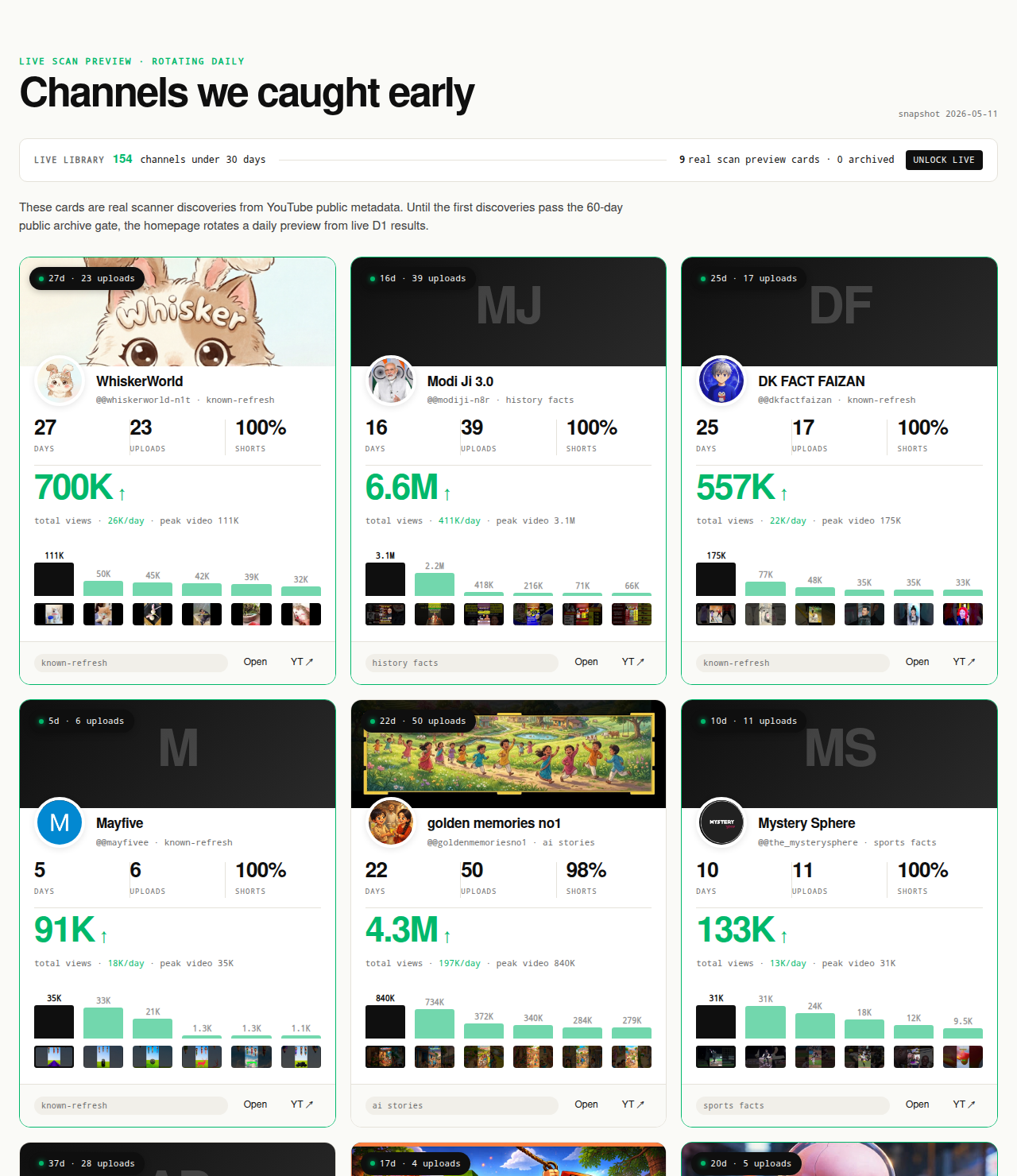
Every channel card outbound-links to YouTube so the inspection step starts from public Data API fields directly. The live under-30-day library is the paid workflow; the Friday digest is free.