/ Cluster · YouTube channel finder
YouTube channel finder: find small breakout channels the autocomplete won't surface
A YouTube channel finder can mean three different things: looking up a channel's alphanumeric ID, recommending the largest channels in a category, or surfacing small channels currently breaking out that you have not heard of yet. The first two are utilities the existing SERP already handles; this page covers them honestly and routes those searchers to the right free tools. The third — the breakout-discovery slice — is the actually-useful research surface for anyone studying channels worth modeling, and it is what NicheBreakout's library is built for. Public YouTube Data API v3 metadata only. Built from thousands of channels scanned to date.

Ai stories by shano
 45d · 36 uploads
YOU & ME
 45d · 25 uploads
Dootoons TV
 45d · 69 uploads
Mr Pawsome
 42d · 64 uploads
sajkcasqq
 38d · 38 uploads
OP Nigma
FactD
 45d · 31 uploads
Cognexa Talks
 39d · 21 uploads
MapLore
What "YouTube channel finder" actually means in 2026
The phrase "YouTube channel finder" hides three different intents under one query, and the SERP for the head term currently mixes all three together. The first intent is ID lookup: a developer, advertiser, or YouTube Studio user has a channel URL or @handle and needs the alphanumeric channel ID it maps to for API calls or platform tooling. The second intent is recommendation: a marketer or curious viewer wants the largest channels in a category — gaming, finance, faceless storytelling — usually for advertising targeting, influencer outreach, or "what's popular in X." The third intent is breakout discovery: a creator, researcher, or operator wants to find small channels currently breaking out at a specific format-topic intersection, channels they have not heard of because those channels are too small or too new to appear in autocomplete results or top-N listicles.
The current SERP serves the first two intents well and the third badly. ID lookup is covered by single-input utilities like tunepocket.com, ytubetool.com, and streamweasels.com that wrap the public YouTube Data API channels.list endpoint. Recommendation is covered by ChannelCrawler-style directories and tubepilot.ai's AI-assisted channel suggestions, both of which surface large channels with established subscriber bases. Breakout discovery — the slice with the most upside for anyone actually researching what works on YouTube right now — has no dominant tool because the channels it should surface are, almost by definition, not yet large enough to appear in the autocomplete tier the existing tools draw from.
The argument this page makes is that breakout discovery is the highest-value slice for any researcher who is not running an advertising buy or an influencer-marketing pipeline. ID lookups answer "what is this channel's ID." Recommendation tools answer "what is the biggest channel in this category." Neither answers "which small channels are currently winning at this format-topic intersection." That third question is the one a creator picking their next channel, an operator modeling a new format, or a researcher tracking the small-channel-breakout cohort actually needs answered, and it is the question NicheBreakout's library is built around.
The rest of this page covers each slice in order, so a searcher arriving with any of the three intents leaves with a usable answer. ID-finder readers get the URL pattern and the official endpoint. Recommendation-engine readers get an honest read on why those tools surface the channels they do. Breakout-discovery readers get the methodology, the cohort framing, and the library link. None of the three intents is dismissed; only one of them is the intent NicheBreakout serves as a product.
How to find a YouTube channel ID (the simplest free methods)
A YouTube channel ID is the 24-character string that starts with UC and uniquely identifies a channel inside the YouTube Data API. Channel IDs are stable across URL changes, @handle changes, and channel renames; the channel name on a video can change, the @handle can change, but the underlying UC... ID does not. Anything that interacts with a channel programmatically — API calls, third-party analytics tools, embed widgets, Studio tooling — needs the channel ID, not the friendly URL. Three methods cover the common cases.
Method 1: read the page source. Open the channel page in a browser, view the page source (Ctrl+U on most browsers), and search for "channelId" or "externalId". The 24-character string immediately after either label is the channel ID. Both fields appear in multiple places on every channel page — JSON-LD blocks, meta tags, and embedded configuration — so the search returns hits regardless of which version of the YouTube template the page is rendering. This method requires no tools and no API key.
Method 2: call the YouTube Data API directly. The channels.list endpoint accepts a forHandle parameter for @handles (without the @ prefix) and a forUsername parameter for legacy custom URLs. The response includes the channel's id field, which is the canonical channel ID. This method requires a Google Cloud API key, which is free up to the default daily quota of 10,000 units; a single channels.list call costs 1 quota unit, so resolving channel IDs is one of the cheapest API operations available.
Method 3: use a free single-input web tool. tunepocket.com's "FREE YouTube Channel ID Finder," streamweasels.com's "YouTube Channel ID Finder," and ytubetool.com's channel search all accept a channel URL or @handle and return the channel ID. These tools wrap the same public API endpoint above and are useful when you do not want to view source or set up an API key. None of the three requires signup. None of the three is a NicheBreakout product — the ID-finder slice is not a category we build in, and we route searchers to the existing utilities rather than recreating them poorly.
The URL pattern matters separately. Channels in 2026 surface under three URL shapes: youtube.com/@handle (the current canonical), youtube.com/channel/UCxxxxxxxxxxxxxxxxxxxxxx (the legacy ID URL, still valid), and youtube.com/c/customname or youtube.com/user/legacyname (older custom URLs, still resolving for channels that claimed them before the @handle rollout). All three resolve to the same underlying channel ID; the differences are presentation, not identity. If you are scripting against the API, normalize everything to the UC ID before storing it — handles and custom URLs can change, the underlying ID cannot.
Recommendation-engine "channel finders" and why they show you the wrong channels
The second slice of the channel-finder SERP is filled by recommendation engines: tubepilot.ai, ChannelCrawler, influencers.club, and a handful of smaller tools that accept a topic, niche, or category and return a list of large channels operating in it. These tools are not broken. They are well-built for the use cases they actually serve — advertising targeting, influencer outreach, brand-deal vetting, "what are the biggest gaming channels right now." For those workflows, surfacing the largest channels in a category is the correct behavior. The problem is that for creator research, those channels are usually the wrong cohort.
The mechanism behind the wrong-cohort problem is straightforward. Recommendation tools rank channels by subscriber count, total view count, recent view velocity at scale, or a composite of those metrics. Those metrics correlate with channel age and recommender-trained audience momentum. A channel that has been running for three years has had three years to accumulate subscribers, recommendation history, and search-result authority. A channel that has been running for three weeks has had three weeks. Even if the three-week-old channel is currently outperforming the three-year-old channel on every meaningful early-traction signal — first-five-video views, view velocity, format-fit clarity — the recommendation engine will surface the older channel because it is bigger right now.
The autocomplete tier compounds the problem. Channels are autocompletable when they have accumulated enough search volume against their name to be indexed by YouTube's own search system. That accumulation takes months. A channel currently breaking out at the small-channel layer has, by definition, not yet been autocompleted by enough searchers to enter the autocomplete tier. Tools that draw from autocomplete — directly or indirectly through their crawl seed list — systematically miss the small-channel-breakout cohort. The output is a list of well-known channels in the category, which is useful for advertising and useless for research, because the researcher already knows about the well-known channels.
The corrective is not to fix the recommendation engines — they are working as designed for their actual users. The corrective is to recognize that breakout discovery is a separate product category from category recommendation, and to use the appropriate tool for the appropriate question. Recommendation tools for advertising targeting and influencer outreach. Breakout-discovery libraries — NicheBreakout, ChannelCrawler's age-filtered views, TubeLab — for finding the small channels currently winning at a specific format-topic intersection. The product categories are adjacent; the wedge that matters for research is small-channel-specific, and recommendation-engine framing systematically excludes it.
The deterministic framework for finding small breakout channels
The breakout-discovery slice of the channel-finder category needs a deterministic filter that surfaces channels worth researching, not a subjective shortlist. NicheBreakout applies three hard public-metadata gates to every candidate, then ranks the survivors with a deterministic score that weights two additional signals. The full methodology lives on the methodology page; the abbreviated version below is the signal list a researcher can apply with the public YouTube Data API directly.
Channel age
detected within 45 days of channel creationFirst-5 upload views
combined views across the first five public uploads ≥ 10,000Views per day
lifetime channel views ÷ channel age ≥ 1,000Format clarity (bonus)
score weights channels with a clear Shorts-first or long-form-first ratio above mixed-format channelsEarly-traction velocity (bonus)
score boost when channel age ≤ 14 days, first-5 sum ≥ 50,000, or views/day ≥ 5,000
Each of the three hard gates isolates a different piece of the early-traction picture. Channel age ≤ 45 days filters discovery to channels where recommendation surfaces — not subscribers — are doing the audience-finding work, which is the cohort where format-fit signal is readable without the confound of subscriber inertia. First-five-video sum views ≥ 10,000 filters out channels whose first uploads landed flat; five uploads sharing 10,000 views indicates a working content vehicle rather than a single lucky upload. Lifetime views per day ≥ 1,000 is the cleanest velocity check available from public metadata alone, because watch time and impressions live behind the YouTube Analytics API and cannot be third-party-verified.
The two score bonuses sharpen ranking inside the filtered set. Format clarity rewards channels with a consistent Shorts-first or long-form-first ratio; format-mixed channels are harder to classify, harder to copy, and slower to compound on the recommender side. Early-traction velocity (channel age ≤ 14 days, first-5 sum ≥ 50,000, or views/day ≥ 5,000) pushes the freshest, fastest-moving channels to the top of the ranking inside any niche. The combination of the three gates plus the two bonuses produces a research-worthy cohort that a per-channel inspection workflow can then run against.
Average first-five-video views for every populated grade tier inside our discoveries cohort looks like this (grades with no current members are suppressed until they fill in):
The framework is intentionally publishable. Every threshold is one a researcher can apply with the same public Data API third-party tools wrap. The cross-pillar how to find small YouTube channels guide walks through how to apply these signals to channel discovery without using NicheBreakout's library; the parent pillar at YouTube channel research covers the broader discovery-plus-inspection workflow that this filter sits inside.
How NicheBreakout's channel-finder library is structured
NicheBreakout's library is structured around two principles that distinguish it from the directory-style channel finders covered above. First, every channel in the library has cleared the same deterministic small-channel-breakout filter; the library is a pre-filtered cohort, not a comprehensive index. Second, the gating between free and paid surfaces is structural and freshness-based, not feature-based — the same data fields, the same outbound links, the same methodology run across both halves.
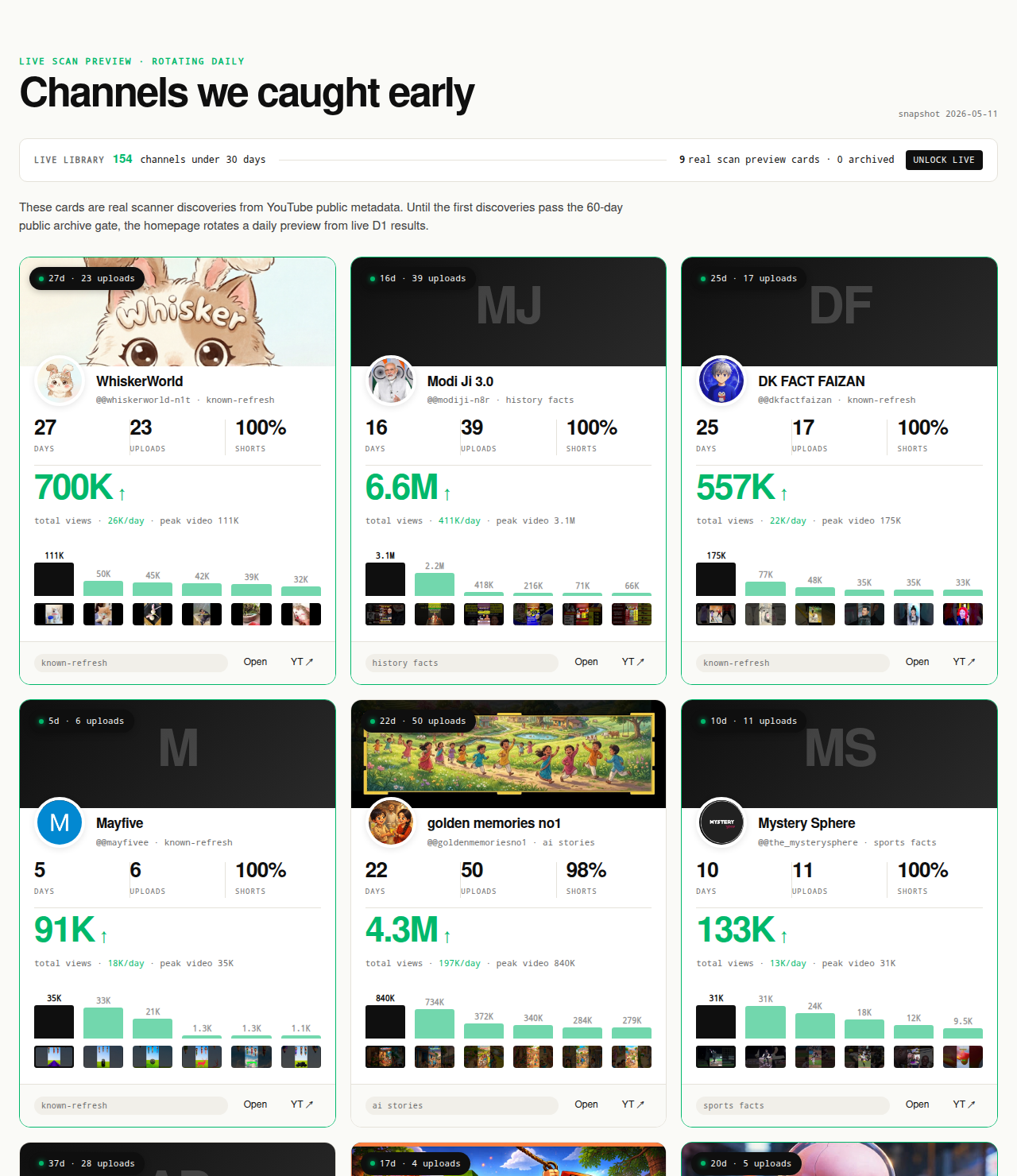
The library splits by freshness, not redaction. The matured public archive holds hundreds of channels that were detected when they were under 30 days old and are now at least 60 days past detection. Those channels are revealed in full: channel name, banner, outbound YouTube link, channel age at detection, first-5 sum at detection, views per day at detection, format label. The paid live library holds dozens of channels currently inside the 30-day window with daily-refreshed traction signals. Both cohorts use the same three-gate filter and the same deterministic scoring formula. The freshness gate is the entire product split — there is no blurred-row, paywall-teaser, fake-redaction pattern anywhere in the product.
Every channel card on every surface outbound-links to YouTube. The link is the audit mechanism: a reader who suspects a metric is wrong clicks through, reads the public Data API fields directly off the channel page or its About tab, and confirms or refutes the claim. That outbound-link audit is non-negotiable. A channel-finder library whose claims cannot be verified by clicking through is a channel-finder library that is asking the reader to trust the operator instead of the data. NicheBreakout's design constraint is that the data does the trust-building, not the operator.
Filters, sorts, save-to-shortlist, and CSV export sit on the paid side of the line. Browsing the matured archive and reading the Friday digest sit on the free side. The deliberate asymmetry is that anyone can audit the methodology by clicking through free channels to YouTube and confirming the numbers match; the workflow value (filtering by format, sorting by view velocity, saving a shortlist for a research session, exporting a cohort to spreadsheet) is what the paid tier provides. See pricing for the current tier.
What we deliberately don't claim about the channels we surface
NicheBreakout does not claim access to private YouTube Analytics API metrics for any channel a researcher does not own. Watch time, audience retention, RPM, average view duration, traffic source breakdown, audience demographics, click-through rate on impressions, and subscriber geography all live behind authenticated endpoints that Google restricts to channel owners and authenticated content partners (YouTube Data API: channels.list; the Analytics API documentation describes the authentication boundary in more detail). None of those metrics ship in the live library, the Friday digest, the future matured public archive, or anywhere else on the page. Any third party selling "competitor watch time," "competitor RPM," "competitor traffic sources," or "competitor retention" for channels they do not own is either inferring from non-API sources, extrapolating from public data with assumptions the researcher cannot audit, or fabricating the number.
What is publishable from public Data API v3 fields for any channel: channel age, subscriber count (rounded down to three significant figures by the API, hidden if the channel has hidden subscribers), total view count, video count, upload playlist ID, channel description, channel banner, channel thumbnail, country (if set), custom URL (if set), and per-video metadata including title, description, publish date, duration, view count, like count, comment count, and tags. Every signal in the methodology above is computable from those fields. Every channel surfaced in the library is one a reader can click through to YouTube and verify directly.
The product also does not generate AI narratives describing why specific channels are working ("this channel's algorithm placement is due to…"). The methodology is deterministic; the channels surface or don't based on whether they cleared the gates. No post-hoc storytelling about why a channel broke out, no inferred audience-demographic claims, no algorithm-reading prose. The methodology page publishes the formula; readers draw their own causal conclusions from the public data the formula reads.
The boundary is structural, not defensive. Public-data-only is what makes every channel card verifiable on YouTube. No-AI-narratives is what keeps the methodology auditable. No-income-claims is what aligns the product with public-metadata reality. If a claim cannot survive the outbound-link audit, the claim does not go on the page.
Common mistakes when searching for YouTube channels
Five mistakes recur when researchers run channel-finder queries, and each of them is correctable with a query change rather than a tool change. Searching by topic name only. "Best gaming channels" or "top finance channels" returns recommendation-engine results dominated by the largest channels in the category, which is the wrong cohort for breakout research. The corrective is to add format and recency qualifiers: "small finance channels under 30 days old" or "faceless gaming Shorts channels 2026" both pivot the SERP toward the small-channel slice.
Treating subscriber count as the primary signal. Subscriber count lags early traction by months, can be rounded down to three significant figures by the Data API, and can be hidden entirely by the channel owner. A channel with 800 subscribers and a first-5 sum of 200,000 views is breaking out; a channel with 80,000 subscribers and 500 views per day is in decline. Subscriber-count filters on directory-style tools surface the second channel and miss the first. View velocity (lifetime views ÷ channel age) and first-5 sum are stronger signals.
Using a recommendation tool when the question is breakout discovery. tubepilot.ai and ChannelCrawler answer "show me the biggest channels in this category" well; they answer "show me the small channels currently breaking out in this category" badly because their seed lists draw from autocomplete and subscriber-rank data that excludes the small-channel cohort by construction. The corrective is to use the right tool for the right slice — directory tools for advertising targeting, breakout-discovery libraries for research.
Trusting "best YouTube channels in X" listicles. Most listicles are recycled annually with dates swapped; a 2026 listicle often re-uses the same channels named in a 2023 listicle. The channels named are usually channels that have been large for years, which is the opposite of the breakout-discovery target. The corrective is to ignore listicles for discovery and rely on deterministic public-metadata filters instead, or to treat listicles as a starting point for niche selection only, never as the source of channels to research.
Looking up channels by name instead of by signal. The most common research-flow mistake is to start from a list of channel names the researcher already knows about and inspect each one in vidIQ or Social Blade. That workflow inspects channels the researcher already knows about — which by selection are channels that already won, not channels currently winning. The corrective is to start from a signal-based filter (channel age, first-5 sum, view velocity) that surfaces channels regardless of whether the researcher has heard of them, then run the inspection workflow against that cohort.
Each of these mistakes shares a root cause: the researcher is treating channel-finding as inspection of channels they already know about, instead of discovery-plus-inspection of channels currently winning that they have not heard of yet. The discipline change is to add a signal-based discovery layer upstream of the inspection layer, then run the inspection routine on the right cohort. The parent YouTube channel research pillar covers the full discovery-plus-inspection workflow.
Finding a similar channel: a different intent, a different tool
"Similar YouTube channel finder" is a recurring sub-query inside the channel-finder SERP, and it is a different intent than either ID lookup or breakout discovery. The similar-channel question starts from a known channel — usually one the researcher already follows or has identified as a model — and asks for other channels operating in the same format-topic intersection. The ranking model is different: instead of "what are the small channels currently winning at this intersection," the question is "what other channels exist at this intersection, regardless of size or age." The cohorts overlap (a small breakout channel can also be similar to a larger channel) but the queries do not.
NicheBreakout serves the breakout-discovery slice of that intent — the small channels currently breaking out inside the same format-topic intersection as the input channel — but does not serve the broader "all similar channels" intent. That broader intent gets its own dedicated page on NicheBreakout: similar YouTube channel finder, which covers the ranking-model differences, the YouTube "Channels related to" deprecation, and the third-party tools that fill the gap. If your query is "find me channels like X," route there. If your query is "find me small breakout channels in the same niche as X," this page is the right entry point.
The distinction matters because conflating the two intents produces bad research outputs. A researcher who wants "channels like X" and ends up with NicheBreakout's small-channel cohort will see a different list than the one they were expecting, because the small-channel filter excludes most of the channels they would consider "similar" by intuition. A researcher who wants "small breakout channels in X's niche" and ends up on a generic similar-channel tool will see a list dominated by large channels, because the similar-channel ranking model does not gate on channel age or first-5 performance. Picking the right entry page is the first research decision.
The parent pillar at YouTube channel research covers the broader inspection workflow that downstream of either entry point. The YouTube competitor analysis cluster page covers the per-channel deep-dive workflow once you have a candidate cohort. The how to find small YouTube channels guide is the manual version of this page's methodology — same filter logic, applied with the raw API or by hand.
The clusters currently surfacing the most research-worthy small channels in our scans
The breakout-discovery output is most useful when it points at specific clusters where the small-channel-breakout signal is firing right now, not at a generic "all channels in our index" list. Across NicheBreakout's matured public archive (channels detected when they were under 30 days old and now 60+ days post-detection), the densest niche clusters currently meeting our sample-size threshold are:
This is what we have observed in our scans, not a market-wide claim, and it shifts week over week as new format clusters surface and older ones saturate. Read it as a current snapshot. The Shorts-first vs long-form split inside those top clusters looks like this in our dataset:
The clusters surfacing the most research-worthy channels are usually faceless or Shorts-first formats — AI storytelling, history shorts, Reddit narration, quiz/trivia, faceless storytelling — because those formats have the lowest production cost per upload, which lets a single operator publish enough times inside the 45-day early-traction window to produce readable signal. Face-on-camera long-form channels also break out, but they cluster less densely and are spread across more topic categories.
Five recurring clusters have dedicated programmatic topic pages where each cluster's currently-breaking-out channels are indexed with the same outbound-link verification as the main library:
- AI story channels: TTS narration plus AI imagery, recurring story templates, Shorts-first publishing.
- Reddit story channels: TTS reading r/AmITheAsshole, r/ProRevenge, r/MaliciousCompliance threads with stock visuals or simple character overlay.
- History shorts channels: fact-stacking with cinematic visuals, vertical and horizontal variants.
- Faceless storytelling channels: broader narrative format spanning fiction and non-fiction.
- Quiz channels: interactive Q&A format, often Shorts-first with text overlays.
If you are using this page as a channel-finder entry point, the programmatic pages above are the natural next click: each is a pre-filtered candidate cohort for a research workflow to run against. The faceless YouTube niches and YouTube Shorts trends sister pillars cover the production-mode and surface-mode angles for the operators picking which cluster to research first.
FAQ
How do I find a YouTube channel by name?
Type the channel name into YouTube's own search bar with the search type set to channels, or type it into Google with the prefix site:youtube.com. Both surface the canonical channel page within seconds for any channel that has not been deleted or made private. If the channel name is generic and the autocomplete cannot disambiguate, append a known video title or topic to the search. There is no third-party tool that does this faster or more accurately than YouTube's own search; tools that frame themselves as "channel finders by name" are usually wrappers around the same public search endpoint with extra advertising layered on top.
What's a YouTube channel ID and how do I find it?
A YouTube channel ID is a 24-character string starting with UC that uniquely identifies a channel in the YouTube Data API. The simplest way to find it is to open the channel page in a browser and view the page source — the ID appears in the canonical link tag and in several JSON-LD blocks. You can also call the YouTube Data API channels.list endpoint with the forHandle parameter (for @handles) or forUsername parameter (for legacy custom URLs) and the response will include the channel ID. Free third-party tools like streamweasels.com and tunepocket.com wrap the same endpoint in a single-input form.
How do I find small YouTube channels?
Filter by channel age and upload count, then sort by view velocity. The deterministic version is the three-gate filter described in the methodology section above: channel age ≤ 45 days, first-five-video sum views ≥ 10,000, lifetime views per day ≥ 1,000. ChannelCrawler exposes filters for channel age and subscriber count; NicheBreakout publishes the pre-filtered cohort with format labels; the sister page how to find small YouTube channels walks through the process without using any tool. The mistake to avoid is starting from a subscriber-count threshold ("channels under 10,000 subscribers") — subscriber count lags early traction by months and surfaces stale channels next to currently-breaking-out ones.
Can I find deleted YouTube channels?
Partially. Once a YouTube channel is deleted, the YouTube Data API channels.list endpoint returns an empty item list (effectively a 404 for the requested ID), and the channel page on youtube.com returns "This channel does not exist." Third-party "deleted channel finder" tools work by querying historical scrapes — Wayback Machine snapshots, Social Blade's archived metadata, archive.org captures — rather than by recovering live API data. If a channel was deleted recently and you have the channel ID or @handle, those archive sources will usually surface the last public snapshot. If the channel was deleted before any third party scraped it, the public record is gone. NicheBreakout does not run this lookup; route deleted-channel queries to the archive tools directly.
How do I find similar YouTube channels?
That is a distinct intent with a different ranking model than "find a channel" or "find a small channel," so it gets its own page on NicheBreakout: similar YouTube channel finder. The short version: similar-channel discovery works by reading a known channel's format fingerprint (video length, faceless vs face-on-camera, Shorts ratio, thumbnail style, topic cluster) and surfacing other channels currently breaking out inside that same format-topic intersection. YouTube's own "Channels related to" sidebar still appears on some channel pages but has been deprecated as a ranking surface; third-party similar-channel tools fill the gap with varying accuracy.
Is there a free YouTube channel finder?
Several, depending on which slice of the intent you mean. For ID lookup: tunepocket.com, ytubetool.com, and streamweasels.com all offer free single-input channel-ID finders. For recommendation-style discovery (large channels in a category): ChannelCrawler's free tier exposes filters by language, category, and subscriber range. For breakout-discovery (small channels currently winning that you don't already know about): NicheBreakout's free Friday digest reveals three currently-breaking-out channels every week with outbound YouTube links, and the matured public archive opens as a second free surface in summer 2026 as the first cohort ages out of the live window. The live 30-day library is the paid workflow surface.
How is NicheBreakout's channel finder different from ChannelCrawler?
ChannelCrawler is a filterable directory of YouTube channels — language, category, subscriber range, country — useful for advertising lookups, influencer-marketing prefiltering, and broad category browsing. NicheBreakout is a pre-filtered cohort of channels meeting a deterministic small-channel-breakout filter: channel age ≤ 45 days, first-five-video sum views ≥ 10,000, lifetime views per day ≥ 1,000. ChannelCrawler answers "show me all channels matching these criteria." NicheBreakout answers "show me the small channels currently breaking out that I don't already know about." The two products serve adjacent intents; most operators end up using the broad directory for one decision layer and the breakout cohort for another.
Can a YouTube channel finder show me a channel's email?
Not legitimately. Channel emails are not exposed by the YouTube Data API and are not part of any channel's public metadata. The "View email address" link on a channel's About tab is gated behind a CAPTCHA and shown only to logged-in YouTube users who pass the bot check. Third-party "channel email finder" tools work by scraping the About tab, querying domain-based email pattern guessers, or relying on creator databases that creators have voluntarily opted into. None of those approaches are inside NicheBreakout's scope — outreach infrastructure is a separate product category and not the use case this page covers.
Methodology / About this analysis
NicheBreakout's research relies entirely on YouTube Data API v3 public fields: channel age, subscriber count, video count, view count, video metadata, video publish dates, video duration, and recent video performance. No private metrics (watch time, RPM, retention, audience demographics, traffic sources) appear in the live library, the Friday digest, or anywhere else on the page. The breakout-discovery cohort discussed on this page is derived from the same scan that powers the main live library; the channel-ID-finder and recommendation-engine slices are not products we build — those intents are routed to the external utilities that already serve them.
Original-research artifacts in this article: the three-intent split of the channel-finder category in the opening section, the deterministic three-gate filter for breakout discovery, the recommendation-engine cohort-bias analysis, the structural library-split walkthrough, and the revealed channel cards above the fold. Cluster mix reflects what we have scanned, not all of YouTube. Author: Nicholas Major (Founder, NicheBreakout · Software engineer since 2011). Article last revised 2026-09-21.
Live scan freshness:
Related research
- YouTube channel research: parent pillar covering the broader discovery-plus-inspection workflow this page sits inside.
- YouTube niche finder: sister pillar covering niche-level research across faceless and face-on-camera channels.
- Faceless YouTube niches: sister pillar covering the faceless production-mode angle.
- YouTube Shorts trends: sister pillar covering the Shorts-first publishing surface.
- YouTube outlier finder: sister pillar covering the breakout-discovery framing applied to any channel type.
- Most profitable YouTube niches: companion listicle backed by examples from the live discoveries cohort.
- How to do YouTube niche research: the full process guide downstream of niche selection.
- How to find small YouTube channels: the manual-workflow version of this page's methodology.
- Similar YouTube channel finder: sibling cluster page covering the "channels like X" intent.
- AI story channels: programmatic topic page tracking the AI-storytelling cluster.
- Reddit story channels: programmatic topic page tracking the Reddit-narration cluster.
- History shorts channels: programmatic topic page tracking the history-shorts cluster.
- Faceless storytelling channels: programmatic topic page tracking the broader storytelling cluster.
- Quiz channels: programmatic topic page tracking the quiz/trivia cluster.
The Friday digest sends three current breakout channels every week with format fingerprints and outbound YouTube links — each one a research-worthy candidate, free, present-tense. The live library refreshes daily and surfaces channels currently inside the 30-day window. See pricing for the current tier; subscribe to the digest free.
End of cluster
Find small breakout channels today
Every channel card outbound-links to YouTube so the public Data API metrics can be verified directly. The live under-30-day library is the paid workflow; the Friday digest is free.