/ Cluster · YouTube niche finder vs keyword tools
YouTube niche finder vs keyword tools: two different questions, two different tools
A YouTube niche finder and a YouTube keyword tool are not the same product, and conflating them is the most common confusion in creator research. A niche finder answers "is this niche working right now" by surfacing channels with abnormal early traction in the niche. A keyword tool answers "what queries drive volume" by surfacing search-index data with volume, competition, and related queries. Different inputs, different outputs, different stages in the creator workflow. NicheBreakout is a niche finder; the keyword-research category is owned by vidIQ, TubeBuddy, Ahrefs, and Semrush. The research base behind the framing here is thousands of channels scanned to date, public YouTube Data API v3 metadata only.

Ai stories by shano
 45d · 36 uploads
YOU & ME
 45d · 25 uploads
Dootoons TV
 45d · 69 uploads
Mr Pawsome
 42d · 64 uploads
sajkcasqq
 38d · 38 uploads
OP Nigma
FactD
 45d · 31 uploads
Cognexa Talks
 39d · 21 uploads
MapLore
The two questions that get confused
A researcher walks into a creator-tools SERP with one of two questions, but the SERP often returns results that answer the other. The first question is niche-fit: "are small channels in this niche currently breaking out, and what format are they running?" The second is query-volume: "how many people are searching for these terms on YouTube, and how hard is it to rank for them?" Both are legitimate; both have real tools that answer them well; both feel like research while the creator is doing them. They are not the same question, and they cannot be answered by the same data source.
Niche-fit is a channel-evidence question. The input is public channel metadata — channel age, upload cadence, view velocity, first-five-video traction, format consistency. The output is a list of channels that demonstrate the niche is currently working, with the format-fingerprint a new entrant would need to copy. Query-volume is a search-index question. The input is YouTube's autocomplete data plus search-volume estimates derived from query-stream sampling. The output is a list of queries with volume and competition numbers, suitable for picking video titles and tags.
The conflation happens because both surfaces present as research, both return lists, both come from the same SERPs ("youtube niche finder" and "youtube keyword research tool" share top results), and both can be misread as "tell me what to make a video about." Neither tool tells the creator what to make. The niche finder tells the creator which niches and formats have channel-level evidence of current traction; the keyword tool tells the creator which queries have measurable search volume inside their chosen niche. The creator still does the synthesis.
The reframe: a niche finder operates at the niche-and-format decision layer; a keyword tool operates at the per-video discoverability layer. The rest of this page works through what each does, when each is useful, and where the conflation produces the worst decisions.
What a YouTube niche finder actually answers
A YouTube niche finder is a research surface that returns channel-level evidence about which niches and formats are currently working. The parent YouTube niche finder pillar covers the category in full; the short version is that the inputs are public Data API v3 fields and the outputs are channels grouped by niche-and-format cluster. A creator running niche-finder research is trying to answer questions like: "is faceless AI history shorts a working format right now, or did it peak in 2024?" "Which under-30-day channels are breaking out in finance explainer Shorts?" "Are the breakouts in my candidate niche running long-form or Shorts?" None of those can be answered from search volume; all of them can be answered from channel evidence.
The deterministic ingredients are the five signals NicheBreakout's filter uses (channel age ≤ 45 days, first-5 sum ≥ 10,000, lifetime views/day ≥ 1,000, format clarity, early-traction velocity), summarized further down. The signals are public-data-readable, which is what makes the niche-finder category falsifiable in a way the keyword-research category cannot be at the per-channel level: any reader can click through to YouTube and confirm a channel's age, upload count, and view counts directly.
The category is mostly the right tool for upstream decisions — picking a niche, picking a format inside a niche, evaluating a second channel, testing whether a format that worked last year still works today. They share a structural property: the answer depends on what specific channels are doing, not on what specific queries are being searched. OutlierKit, NexLev, and TubeLab all market themselves at this category with varying degrees of channel-evidence depth; NicheBreakout sits cleanly inside it and excludes keyword surfaces by design.
What a YouTube keyword research tool actually answers
A YouTube keyword research tool is a different category of product. The inputs are YouTube's search-index data and autocomplete; the outputs are query-level metrics — search volume estimates, competition scores, related-query suggestions, trend direction. The canonical reference is vidIQ's Keyword Inspector, which the company describes as "the keyword research tool for YouTube creators" with features for "search volume, competition score, related searches and trend reports" (vidIQ Keyword Inspector). TubeBuddy ships a comparable surface; Ahrefs and Semrush both have YouTube modules attached to their broader SEO infrastructure.
The category is sharply defined by what it answers. Given a query, how many people are searching for it on YouTube? How does that volume trend over time? What related queries surround it? How competitive is the result page? Those numbers feed downstream creator decisions — video titles, opening lines, descriptions, tags, thumbnail text — that depend on search demand.
What the category does not answer well: which niches are currently producing small-channel breakouts, what format those breakouts are using, whether a 45-day-old channel in a candidate niche is clearing first-5 sum thresholds. Those live at the channel-evidence layer, and keyword tools do not surface channel-evidence data with the granularity niche-finder work needs. vidIQ and TubeBuddy both have channel-research surfaces in addition to keyword tools, but the keyword-tool surface is not where niche-finder questions get answered, even inside those products.
The exact volume numbers are also estimates, not measurements. YouTube does not publish per-query search-volume data publicly; third-party tools estimate volume from sampled query streams, autocomplete signal, and external proxy data. The estimates are useful at the comparative level (query A has more demand than query B) and noisier at the absolute level. A keyword researcher who treats the numbers as exact is over-trusting the data; a niche researcher who tries to derive niche-fit from them is using the wrong tool entirely.
Why creators conflate the two
Three structural reasons. First, the SERPs overlap. The top results for "youtube niche finder" and "youtube keyword research tool" share several domains, and tools occupying both SERPs market their full feature surface on every landing page. The cross-listing teaches the researcher that the categories are adjacent, then implies they are interchangeable.
Second, both surfaces present as research. Both return lists with numbers; both feel like empirical work that should reduce uncertainty; both can be done at a screen without publishing. A researcher who has not consciously separated the two can run keyword work and feel like they are doing niche research, or vice versa.
Third, the vocabulary leaks. "Niche research" sometimes means picking a niche, sometimes means optimizing search visibility inside a chosen niche; "keyword research" sometimes means query-level work, sometimes gets stretched to mean any pre-publication analysis. Tools cooperate with the blur because both audiences are customers. A landing page promising "the complete niche-and-keyword research suite" is selling two products under one wrapper.
The remedy is to name the decision layer before opening the tool. "Should I start a channel in faceless history shorts" is a niche-finder question; a keyword tool is the wrong starting point. "What should I title this specific video" is a keyword question; a niche finder will not answer it. Using either for the other's job produces confident, well-formatted research that is structurally pointed at the wrong question.
The decision-layer model
Map the two tools onto the layers of the creator workflow. The workflow runs upstream to downstream: pick a niche, pick a format inside the niche, commit to a publishing cadence, plan the first thirty uploads, write a video, title it, optimize for its surface, publish, iterate. Different tools belong at different layers, and most tool confusion is layer confusion.
Niche-finder work belongs at the top of the funnel: pick-a-niche, pick-a-format, evaluate-a-format-topic intersection. The question at this layer is "is this niche currently producing small-channel breakouts, and what format are they running?" Channel evidence is the input that answers it. Keyword tools at this layer are misapplied; query volume tells you what is searched for, not whether the niche is lifting new entrants. A researcher who picks a niche by keyword volume alone often discovers the niche has high search demand and no current small-channel breakouts — the worst combination, because the recommender is not lifting new entrants and even the keyword-optimized video doesn't get a fair audience-finding cycle.
Keyword-tool work belongs further downstream: title-a-specific-video, optimize-for-search-discovery, plan-search-oriented-uploads. The question is "given the niche and format I have already chosen, which queries should this specific video target?" Query volume and competition are the right inputs; niche-finder data is the wrong tool here. The common workflow error is starting at the wrong layer — opening vidIQ before picking a niche, or opening NicheBreakout for retroactive validation after the niche is already committed.
When to use a niche finder
The right time to open a niche finder is when the niche is undecided or when a candidate niche needs validation. Specific moments: starting a new channel without a niche; evaluating a second channel in a different niche; considering pivoting to a different format-topic intersection; filtering a list of candidate niches down to the ones currently producing small-channel breakouts.
The discriminating signal is the question. If it contains "should I" or "is X working" or "which niche" or "what format," it is a niche-finder question. The answer lives in channel evidence — under-90-day channels in the niche, their first-5 sums, their views/day, their format consistency. None of that is in a keyword tool.
Once a niche has been selected with channel evidence, the creator commits to thirty uploads in the validated format-topic intersection, then opens a keyword tool to plan individual video titles. The YouTube niche validation checklist is the deterministic version of the niche-fitness pass; the how to do YouTube niche research guide covers the full sequential workflow. The wrong time to open a niche finder is during per-video optimization — at that point the work has shifted to executing the format consistently, and the next decision layer is execution quality, not niche selection.
When to use a keyword tool
The right time to open a keyword tool is when the niche is already chosen, the format is committed, and the creator is working at the per-video layer. Specific moments: writing a title for a specific video; deciding which of three candidate titles has more search demand; planning a series of search-oriented uploads inside the validated niche; researching the related-query landscape around a topic; checking whether a candidate idea has measurable search demand at all.
The discriminating signal is the niche-finder version inverted. If the question contains "what query" or "how many people search" or "which keyword" or "what should I title this," it is a keyword-tool question. The answer lives in YouTube's search-index data, surfaced through vidIQ, TubeBuddy, Ahrefs, Semrush, or comparable tools. Channel-evidence inputs do not answer it directly — you can see other channels in the niche running videos with similar titles, but you cannot derive the search volume of those titles from channel metadata alone.
A practical rule: the per-video layer is the right level for keyword work. The video has a working title, a planned topic, and a niche it sits inside; the keyword tool helps choose between candidate framings of that specific video. Stretching keyword work upstream — to the niche or format layer — produces niche choices grounded in search volume alone; stretching it downstream — to thumbnail or upload scheduling — usually adds little.
The deterministic filter a niche finder uses
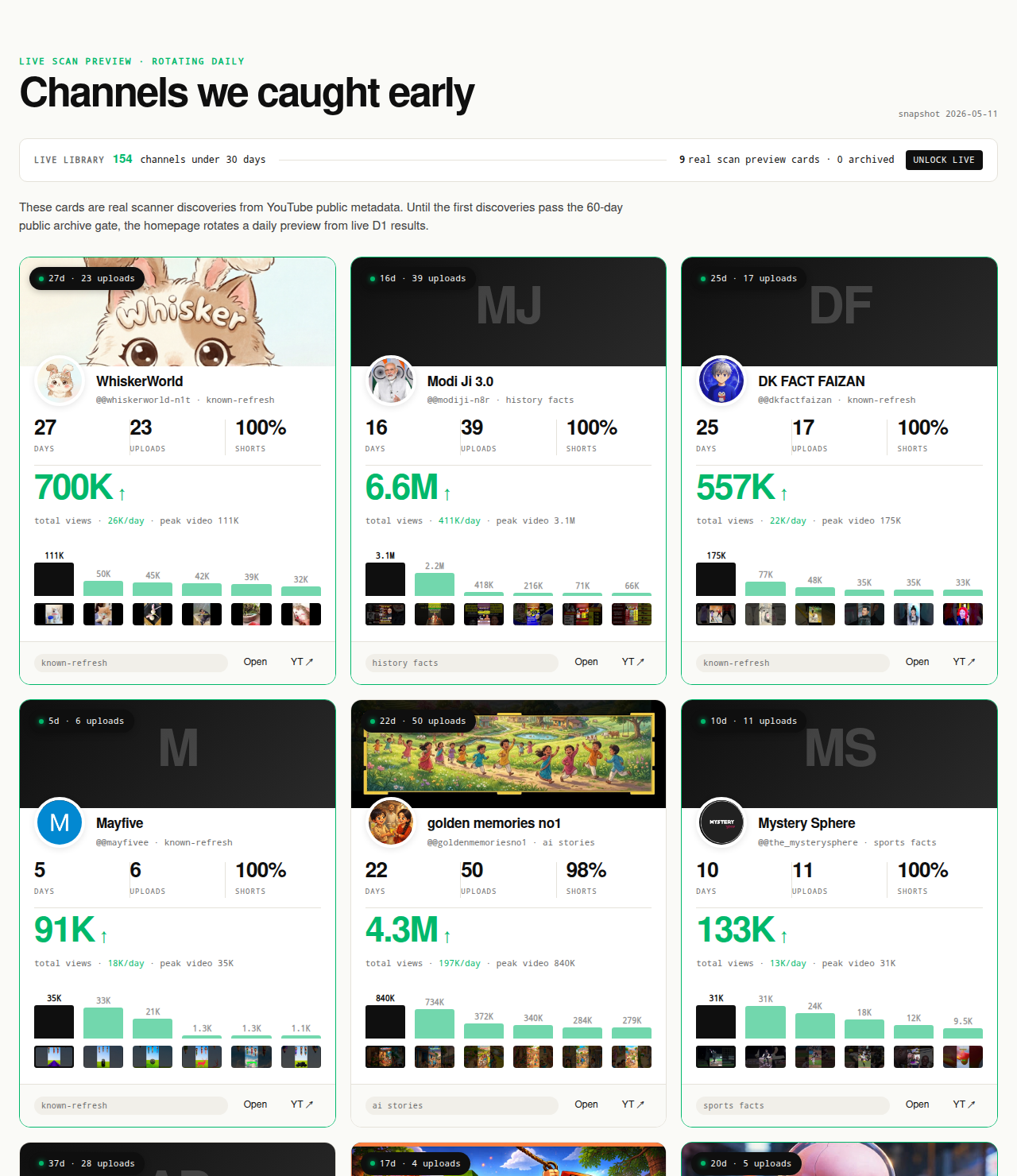
A niche finder's filter has to be public-data-readable for the same reason a researcher's verification has to be auditable: every claim a third-party tool makes about another creator's channel needs to survive a click-through to YouTube. NicheBreakout flags a channel for the live library when it passes three hard public-metadata gates, then ranks it with a deterministic score that weights two additional signals. The full methodology is on the methodology page; the five signals appear here as the anchor for the niche-finder side of the comparison.
Channel age
detected within 45 days of channel creationFirst-5 upload views
combined views across the first five public uploads ≥ 10,000Views per day
lifetime channel views ÷ channel age ≥ 1,000Format clarity (bonus)
score weights channels with a clear Shorts-first or long-form-first ratio above mixed-format channelsEarly-traction velocity (bonus)
score boost when channel age ≤ 14 days, first-5 sum ≥ 50,000, or views/day ≥ 5,000
None of the five signals require keyword data. Channel age comes from the channel's About tab. First-5 sum is the view counts on the channel's first five published videos. Lifetime views/day is the ratio of total view count to channel age. Format clarity is the Shorts ratio across recent uploads. Early-traction velocity is a composite of the three gates evaluated against tighter thresholds.
A keyword tool's filter looks entirely different. The inputs are autocomplete signal, query-stream samples, and SERP analysis; the outputs are volume estimates, competition scores, and related-query suggestions. The vocabulary overlaps in a few places ("trending," "competition," "score"), but the underlying data sources are distinct. A creator who has internalized the five-signal niche-finder filter is unlikely to confuse it with a query-volume metric again — the inputs are too obviously different once named. The binary checklist version lives in the YouTube niche validation checklist; both are channel-evidence surfaces, not keyword surfaces.
What we deliberately don't claim about keyword research
NicheBreakout does not surface YouTube search volume. Not in the library, not in the digest, not on any channel card, not in any planned product surface. Volume estimates require either YouTube's internal data (not third-party-accessible) or query-stream sampling infrastructure that is a separate product to build — a category where vidIQ, TubeBuddy, Ahrefs, and Semrush already operate well.
The product also does not generate tag suggestions, score the SEO quality of videos, run keyword competition analysis, surface related-query suggestions, or estimate search-driven traffic for any query. Every claim on every NicheBreakout page is defensible from public YouTube Data API v3 channel and video metadata.
The underlying limitation keyword tools operate under is worth naming clearly. Google does not publish per-query YouTube search volume publicly; YouTube's own creator documentation describes the discovery system as a mix of search and recommendation surfaces (YouTube Help: "YouTube's Search and Discovery System"), and the search portion is fed by query data Google does not externalize as raw numbers. Third-party tools estimate from sampled streams — useful comparatively, noisy absolutely. NicheBreakout's choice to operate exclusively on channel-evidence data is partly scope, partly honesty constraint: channel metadata is third-party-readable in full; query volume is not. A reader who arrived here typing "youtube keyword research tool" should leave knowing which product category answers their question, and that category is not NicheBreakout.
Common mistakes when conflating the two
Three failure modes show up repeatedly. First, picking a niche based on keyword volume alone. The researcher pulls a query-volume report, identifies the highest-volume queries in a candidate niche, and concludes the niche is hot. The flaw: high search volume can coexist with zero current small-channel breakouts, in which case the recommender is not lifting new entrants regardless of search demand. The corrective is to layer a niche-finder pass over the keyword data — confirm that under-90-day channels in the niche are clearing first-5 sum thresholds before concluding the niche is working for new entrants.
Second, ignoring channel evidence in favor of "audience demand" abstractions. Researchers sometimes derive niche-fitness from a vague composite of search demand, social media interest, and personal intuition, without ever looking at whether specific small channels in the niche are actually breaking out. The composite feels rigorous; the channel-evidence test is harder to fake. Either three under-90-day channels in the niche are clearing the gates, or they aren't.
Third, optimizing tags and titles before the niche is validated. The researcher opens a keyword tool, picks a query with strong volume and weak competition, builds a video around it, and publishes — into a niche where small channels are not currently breaking out. The video may rank for the query if the niche is light, but the channel sits in a recommender cohort the platform is not currently lifting, and the early-traction signal compounds against the channel. The fix is sequencing: niche validation first, keyword work second.
Each failure mode shares a root: the researcher is operating at the wrong decision layer for the tool they have open. Naming the layer first, then opening the tool that fits, prevents most of the damage. The cluster page on how to do YouTube niche research walks through the full sequence; the YouTube niche validation checklist covers the binary version.
What NicheBreakout is, in one line
NicheBreakout is a YouTube niche-and-channel discovery library built on public YouTube Data API v3 metadata. It surfaces small channels with abnormal early traction so a creator can see which niches and formats are currently working, then click through to YouTube and verify the metrics directly. It is not a keyword research tool, not a tag suggester, not an SEO scorer. The keyword category is owned by vidIQ, TubeBuddy, Ahrefs, and Semrush — each excellent at the per-video search-discovery layer this page does not attempt to occupy. Most committed creators end up using a niche finder and a keyword tool at different layers. The full upstream methodology lives in the parent YouTube niche finder pillar; the downstream keyword surfaces are the tools listed in the FAQ.
FAQ
Is a YouTube niche finder the same as keyword research?
No. A YouTube niche finder surfaces channels with abnormal early traction so a creator can see which formats are currently working; keyword research surfaces search queries with measurable volume and competition so a creator can optimize a specific video against search demand. The first answers "is this niche working right now" via channel evidence; the second answers "what queries drive volume in this space" via search-index data. The inputs differ, the outputs differ, and the creator-workflow stage at which each is most useful differs. Both are legitimate research surfaces; neither replaces the other. NicheBreakout is only the first kind of tool.
Which one should I use first?
Niche-finder work comes first — when picking a niche, picking a format, or evaluating a niche-format intersection. Keyword work comes after the niche is chosen, at the per-video layer. Reversing the order is the common mistake: researchers pull keyword volume before confirming whether small channels in the topic are actually breaking out, and end up optimizing tags for a niche the recommender is not currently lifting new entrants in.
Can I use vidIQ to find a niche?
Sort of, but the part of vidIQ that helps with niche selection is the channel-research surface, not the keyword tool. vidIQ's Keyword Inspector is built for query-level research — search volume, competition score, related queries; that surface is excellent for video-level SEO and is not what you want when picking a niche. vidIQ's competitor-channel tracking is closer to niche research but tilts toward channel optimization rather than format-cluster discovery. Using Keyword Inspector to derive a niche from query volume alone is using a keyword tool to do niche-finder work.
What's the best YouTube keyword tool?
Different tools dominate different sub-problems and this page is not the place for a head-to-head ranking. vidIQ is the most widely-used surface for in-YouTube keyword inspection; Semrush and Ahrefs lead on broader SEO infrastructure with YouTube modules attached; TubeBuddy is the closest direct competitor to vidIQ. Pick by which decision layer you are working at: in-YouTube tag/title work is vidIQ/TubeBuddy territory; cross-platform search-volume work is Ahrefs/Semrush territory. NicheBreakout does not compete in either lane.
Do I need both a niche finder and a keyword tool?
Most committed creators end up using both, at different layers. A niche finder answers the upstream question of whether the niche is currently lifting new entrants. A keyword tool answers the downstream question of which queries to optimize a video against once the niche is chosen. Skipping the niche-finder step means publishing into a niche that may not be working under public-data signals; skipping the keyword step means missing search-driven discovery on videos that depend on it.
Can I skip keyword research entirely?
Sometimes, depending on format and surface. Shorts feed discovery is dominated by recommendation rather than search; long-form discovery is split between search, suggested, browse, and external sources. A Shorts-first faceless channel can credibly run for months with no keyword research beyond title obvious-ness; a long-form tutorial channel whose primary discovery vector is YouTube search cannot. YouTube Help describes the search-vs-recommendation split (YouTube Help: "YouTube's Search and Discovery System"); that's why keyword research is not equally useful across every format and surface.
Is NicheBreakout a keyword research tool?
No. NicheBreakout does not surface YouTube search volume, does not generate tag suggestions, does not score the SEO quality of videos, and does not provide query-level competition data. The library is built entirely from public YouTube Data API v3 channel and video metadata — channel age, upload count, views per day, first-five-video sum, format ratio. Keyword research is a separate surface owned by tools that build on YouTube's search-index data and autocomplete.
Is NicheBreakout a vidIQ alternative?
Only partially, and only on the surface closest to niche discovery. vidIQ is primarily a keyword-and-optimization tool with secondary channel-tracking features; NicheBreakout is primarily a channel-discovery library with no keyword features. A creator who needs keyword inspection should not substitute NicheBreakout for vidIQ; a creator who needs to find new small breakout channels will get more from NicheBreakout's library than from vidIQ's channel tools. Common stack pattern: both, at different layers.
Methodology / About this analysis
NicheBreakout's research relies entirely on YouTube Data API v3 public fields: channel age, subscriber count, video count, view count, video metadata, video publish dates, and recent video performance. No YouTube Analytics API access (channel-owner-only), no AdSense data, no scraping of authenticated dashboards, no AI-generated narratives describing why channels are working, and no keyword volume estimates or search-index data of any kind. The keyword-research category is referenced on this page for contrastive framing only; the deterministic detection thresholds the page describes are the same the live library applies on every channel it surfaces, published in full on the methodology page.
Original-research artifacts in this article: the decision-layer model, the explicit separation between channel-evidence and search-index inputs, the layered-conflation failure-mode framing, and the deliberate non-targeting of keyword-research head terms. Niche distribution reflects what we've scanned, not all of YouTube. Author: Nicholas Major (Founder, NicheBreakout · Software engineer since 2011). Article last revised 2026-09-21.
Live scan freshness:
Related research
- YouTube niche finder: parent pillar covering the broader niche-research category, the channel-evidence framing, and the five-signal filter referenced here.
- How to do YouTube niche research: sibling cluster, the sequential workflow version of the methodology — the right reference when learning the upstream process end-to-end.
- YouTube niche validation checklist: sibling cluster, the binary scorecard version of the same methodology — the right reference when testing a specific candidate niche in twenty minutes.
- Most profitable YouTube niches: sibling cluster covering why per-channel revenue is not third-party-readable and what public-data signal does answer the niche-fitness question.
- Faceless YouTube niches: sister pillar covering the faceless production angle, the densest cluster currently surfacing in our scans.
- YouTube Shorts trends: sister pillar covering the Shorts-first publishing angle and format-cluster trends.
- YouTube channel research: sister pillar covering the broader channel-discovery category, useful for sourcing the breakout-channel evidence niche-finder work depends on.
- YouTube outlier finder: sister pillar covering the breakout-discovery framing applied at the channel layer.
- AI story channels, Reddit story channels, history shorts channels, faceless storytelling channels, quiz channels: programmatic topic pages that cluster current breakouts by format, each operating purely on channel evidence with no keyword data attached.
The Friday digest sends three current breakout channels every week with format fingerprints and outbound YouTube links — free, present-tense, channel-evidence only. The live library refreshes daily and surfaces channels currently inside the 30-day window. See pricing for the current tier; subscribe to the digest free.
End of cluster
See the channel-evidence side of the comparison
Every channel card outbound-links to YouTube so you can audit the public metadata yourself. NicheBreakout is the niche-finder surface — channel evidence only, no keyword volume, no tag suggestions. The keyword-tool category lives elsewhere.